
Proxies for brand protection give your browser or collection tool regional network exits for checking public listings, sellers, ads, and websites. They help you compare markets and maintain a consistent connection during an investigation, while your tools and reviewers handle data collection and case decisions.
Key Takeaways
- Proxies provide regional network exits and connection continuity; collection tools and reviewers handle extraction, matching, and case decisions.
- Evaluate rotating or sticky residential sessions for regional discovery and short page sequences. Consider a static address when an investigation needs longer continuity.
- Validate the market, required fields, and evidence record before raising an alert. A low price or unfamiliar seller does not establish infringement.
- Compare providers by target eligibility, session requirements, total commitment, and traffic validity.
The workflow uses a fictional skincare brand, Example Brand, checking Serum S30 in the United States and Germany.
Which Brand Risks Should You Monitor First?
Start with priority products, active sales markets, and customer reports. Monitor these four risks, recording the source, product, and market for each lead:
- Suspected counterfeits and seller issues. Search by brand, model, and spelling variants; check relevant listings and seller profiles against dated product and channel references. Preserve stable IDs and the discrepancy that needs review.
- Impersonating websites and accounts. Use public searches, profiles, customer reports, and domain alerts to find candidates. Save the domain or account ID, claimed affiliation, and related links.
- Misleading ads and landing pages. Review available public ads and reported links, preserving the creative, observed redirects, final destination, and market context.
- Misused brand assets. Compare public retailer pages and campaign material with approved images and wording. Route outdated content or uncertain authorization to the responsible team.
A low price, unfamiliar seller, or matching image needs review against product, rights, and channel references. WIPO’s trademark guidance assigns monitoring to the trademark owner and recommends platform dispute procedures for suspected online misuse.
For minimum advertised price (MAP) checks, match the SKU, pack size, currency, promotion, stock status, and delivery market against the applicable dated policy. Keep advertised and checkout prices separate, and route policy discrepancies to the channel team. This guide focuses on public-source monitoring; test purchases and legal proceedings require separate processes.
When Do You Need Proxies for Brand Protection?
For a few accessible pages, begin with a browser and spreadsheet. For repeated checks across markets, combine a suitable proxy with a compatible collector. Evaluate an authorized official API first if it supplies the required data; check its permissions and coverage.
Each layer does a different job: a proxy changes the connection path, a scraper retrieves and extracts content, and a monitoring platform may add matching, alerts, and case management. JavaScript-heavy pages may need browser rendering or a managed collection API. A proxy-management API alone does not return seller records.
If you already use a brand protection platform, check whether regional collection is included and external proxies are supported. Teams unable to maintain their own collection and review process should consider a managed service. An IP change alone does not reproduce a shopper’s device, account history, or preferences.
Which Proxy Setup Fits Your Monitoring Tasks?
Choose a proxy for brand protection by the source and required workflow.
| Type | Consider it for | Validate first | Main trade-off |
|---|---|---|---|
| Residential | Regional public listings, seller pages, and searches | Target compatibility, actual market context, available locations | Plan-dependent traffic charges and exit continuity |
| ISP or static residential | Repeated checks needing a longer-lived network identity | Assignment duration, target, replacement and renewal terms | Plan-dependent IP commitment and location inventory |
| Datacenter | Accessible, permitted bulk checks and lighter pages | Content validity and source-specific limits | Some targets treat hosting networks differently |
| Mobile | A task that specifically needs a carrier-network view | Carrier availability and whether the view actually changes | Plan-dependent cost and operational complexity |
Choose session behavior separately from proxy type. Independent checks can use rotating exits; a listing-to-seller sequence may need a sticky session. Sticky sessions request exit reuse for a supported period, subject to peer availability and provider limits; browser cookies and login state remain the client’s responsibility. Static addresses suit longer assignments. Mobile IPs provide a carrier-network exit, but app access and image matching still require suitable tools.
How to Use Proxies to Protect Your Brand
Start with one search-to-seller check per market. Save the evidence, have a reviewer assess it, and automate once you can distinguish valid results from failed checks.
Step 1: Create a Watchlist and Official Reference Set
Create three spreadsheet tabs: Watchlist, Checks, and Review Queue. In Watchlist, record the market, source, query or product identifier, official reference, priority, and planned check time.
For the fictional brand, start with two tasks:
- US-01: Search a US marketplace for Example Brand Serum S30. Compare the first result page and relevant listing/seller pages with the current official product sheet and seller register.
- DE-01: Repeat on the local German marketplace with the approved German query variant and channel reference. Record the same result depth and any local settings.
Add spelling variants, local names, and model numbers as separate queries. Assign Run IDs and Task IDs, and date the reference set. Begin with one result page, then define a production stopping rule such as a page limit or exhaustion of results. Record the limit so reviewers know the search scope.
Step 2: Find New Leads and Schedule Separate Rechecks
Schedule discovery searches for new listings, accounts, and domains alongside rechecks of known objects.
For a public marketplace pilot:
- Open the appropriate market’s website and record the delivery destination and any active filters.
- Search for the brand plus exact model. Repeat with selected spelling or local-language variants.
- Record the query, sort order, result depth, and time. Save relevant listing URLs and stable IDs, including seller IDs where available.
- Open each selected listing and its seller profile. Compare the displayed identity and product details with the reference set.
- Add new objects to the review queue; put existing objects on a separate recheck schedule.
Practice without code by searching LEGO 10311 on eBay, opening one listing, and following its seller name. Record the query, filters, sort, and delivery context. Use another model if it is unavailable.

- Product query. 2. Displayed shipping destination (IND). 3. Active sort order.

Record the product title (1), public seller identity (2), and listed price and currency (3).

The seller’s public item list shows the same username (1, 3) and product model (2). Match these with the original listing and save both URLs.
Search results cover only the recorded scope. Follow platform access rules and use an authorized API where it supplies the required coverage. Extend discovery through search engines, customer reports, and public sources:
- Domains: Search misspellings and local variants; save the hostname, discovery source, claimed affiliation, and destination. Domain and certificate alerts generate leads for review.
- Social accounts and images: Search brand names, handle variants, products, and reused images. Save account IDs, URLs, relevant posts, and linked websites; compare them with dated official-account and asset references.
- Ads: Use reported links or public ad libraries. Retain the ad ID, creative, destination, redirects, date, and visible targeting, using a consistent device and time window for regional comparisons.
IACC’s detection toolkit recommends combining search, image, social, and marketplace checks. Keep this workflow to public sources; avoid repeated paid-ad clicks and entering credentials on suspected phishing sites. Assign review deadlines and recheck active cases within source limits.
Step 3: Configure the Connection and Verify the Market
For a manual desktop pilot, use a separate Firefox profile and an active HTTP proxy endpoint documented as compatible by your provider:
- In Firefox Settings, search for “proxy” and open Connection Settings. The exact route varies by version.
- Select Manual proxy configuration. Enter the provider-generated HTTP proxy hostname and port in HTTP Proxy and Port.
- Select Also use this proxy for HTTPS only when the same HTTP endpoint is documented to handle HTTPS destinations. If your provider specifies a separate endpoint, enter that in HTTPS Proxy. An HTTPS destination does not by itself mean the client-to-proxy connection is encrypted.
- For username/password authentication, use the endpoint credentials when the client requests them. For IP allowlisting, authorize the machine’s current public IP in the provider dashboard. Use the method supported by that endpoint and client.
- Save the settings, check the public exit IP with a trusted IP checker, and open the target page. If authentication fails, check the product credentials and allowlist before changing the target request.
For SOCKS endpoints, use SOCKS Host and the correct SOCKS version. Verify client support for the provider’s authentication method. The Proxy DNS when using SOCKS v5 option controls DNS behavior and requires a compatible endpoint.
Firefox’s proxy controls are covered in Mozilla’s Connection Settings guide. The Socks5.IO residential proxy setup guide covers provider-side endpoint generation and authentication.
Check the exit before and after the page sequence, and record site version, currency, delivery destination, login state, and availability. Keep product, device, account state, and time window comparable across markets; document locale changes and restore previous proxy settings afterward.

Select Manual proxy configuration (1) to enable the HTTP Proxy and Port fields (2).
Step 4: Collect a Complete Record, Not Just a Page
In Checks, give every scheduled task a status, including tasks that return nothing. For a listing, capture the URL, listing ID, seller ID, product/model, price and currency, relevant delivery condition, timestamp with time zone, market, and observation.
Attach contextual screenshots, Run ID, Task ID, and reviewer details. Keep originals read-only and exclude unrelated personal data. For Example Brand, a seller missing from the dated channel register enters the queue as Pending verification; the channel team checks authorization and the relevant product version.
The eBay exercise produces a compact observation record:
| Field | Recorded value |
|---|---|
| Task / query | PRACTICE-01 / LEGO 10311 |
| Product | LEGO Icons Orchid 10311 Artificial Plant Building Set with Flowers Home Décor |
| Listing ID | 336834381431 |
| Seller | pedrnavarr-34 |
| Observed price | US $37.99; secondary displayed amount approximately R$190.87 |
| Page context | Shipping to IND |
| Evidence | Search-results, product-detail, and seller-item-list screenshots |
| Review status | Not assessed |
Include listing and seller-profile URLs with the record. For automation, wait for required elements and validate the page type before extracting. The web scraping with Selenium guide covers browser-based collection for dynamic pages.
Step 5: Validate Each Check Before Raising an Alert
Use collection status and review status as separate fields:
| Collection status | Next action |
|---|---|
| Valid result | Confirm market, scope, and mandatory fields; apply matching rules and review the signals. |
| Valid zero result | Retain the query, scope, and time for a completed search without matching items. |
| Wrong market | Correct the exit or page settings and repeat. |
| Blocked or challenged | Review the access method and request rate. |
| Incomplete or parse failed | Check rendering, waits, and extraction rules. |
| Not completed | Investigate scheduling and retry within agreed limits. |
HTTP 200 is not sufficient: the body might contain an error, challenge, or empty shell. A zero-result search also needs a readable query, valid scope, and evidence that the search actually completed.
Validate the parser against a known listing on the same source, using a recent manual observation. Keep source-update and collection timestamps separate. If four tasks produce one listing, one valid zero result, one challenge, and one unfinished check, report two valid checks and one object for review.
Step 6: Review, Escalate, and Look for Recurrence
Group observations by source and stable object ID. Preserve market, first/last seen, changes, reviewer, and outcome without overwriting earlier evidence. Use New lead → Pending review → Dismissed or Action required → Submitted → Recheck. Product/channel teams verify discrepancies; rights owners or authorized representatives handle rights complaints.
Use the reporting process that matches the issue. Amazon’s Brand Registry page describes Report a Violation for suspected IP infringement, store-policy violations, and regulatory-compliance concerns. Eligible owners enroll their brands and can add authorized agents as account users. Submit supporting rights information and records; route contractual seller or price-policy issues to the channel team.
For a phishing domain, have the security team preserve the exact URL and evidence, identify the registrar’s abuse contact, and choose the reporting route for the issue. Refer trademark or domain ownership questions to the rights team. Log the recipient, submission date, case number, and next review date.
Revisit the original object and associated seller or account IDs after action. Record changes and recurrence without overwriting earlier observations. Keep evidence access-controlled, apply retention limits, and follow platform terms and provider acceptable-use policies.
Seven Proxy Providers to Consider for Brand Protection
This comparison draws on the providers’ official product information. Proxy access and managed collection services are priced separately.
| Provider | Consider when you need | Residential plan example | Key consideration |
|---|---|---|---|
| Socks5.IO | Configurable location and session choices for your own tools | $3.50/GB PAYG; 100 GB at $1.25/GB, valid 30 days | You build collection, review, and reporting |
| Bright Data | Compare proxy infrastructure with separately offered collection products | PAYG displayed at $4/GB with a 50% coupon promotion; regular price shown as $8/GB | Product type and coupon eligibility |
| Rola IP | Configurable residential access for an existing collection stack | $4/GB PAYG; 100 GB at $2/GB, valid 30 days | Check required locations and session duration; unused package traffic expires |
| Oxylabs | Evaluate raw proxies alongside managed data-access products | Starter displayed at $30/month; residential usage at $6/GB, up to 5 GB if all credit is used there | Restricted targets and product-specific rates |
| DataImpulse | Infrequent monitoring where traffic expiry affects cost | New-customer offer: $5 for 5 GB; $1/GB | Finer targeting charges and top-up terms |
| ProxyScrape | A small paid compatibility trial before choosing a bundle | Paid trial: 1 GB for $1; larger bundles depend on selected term | Upload and download traffic both count |
| Proxidize | Recurring monitoring with city/ISP controls and bandwidth rollover | 25 GB monthly package: $25 at $1/GB | KYC/KYB approval before use; no free trial; refund request within 30 days and residential product-type usage under 10 GB |
Compare the total commitment, traffic validity, and required tools alongside the unit rate. Use the same monitoring tasks to evaluate each shortlisted provider.
1. Socks5.IO: Location and Session Control for an Existing Workflow
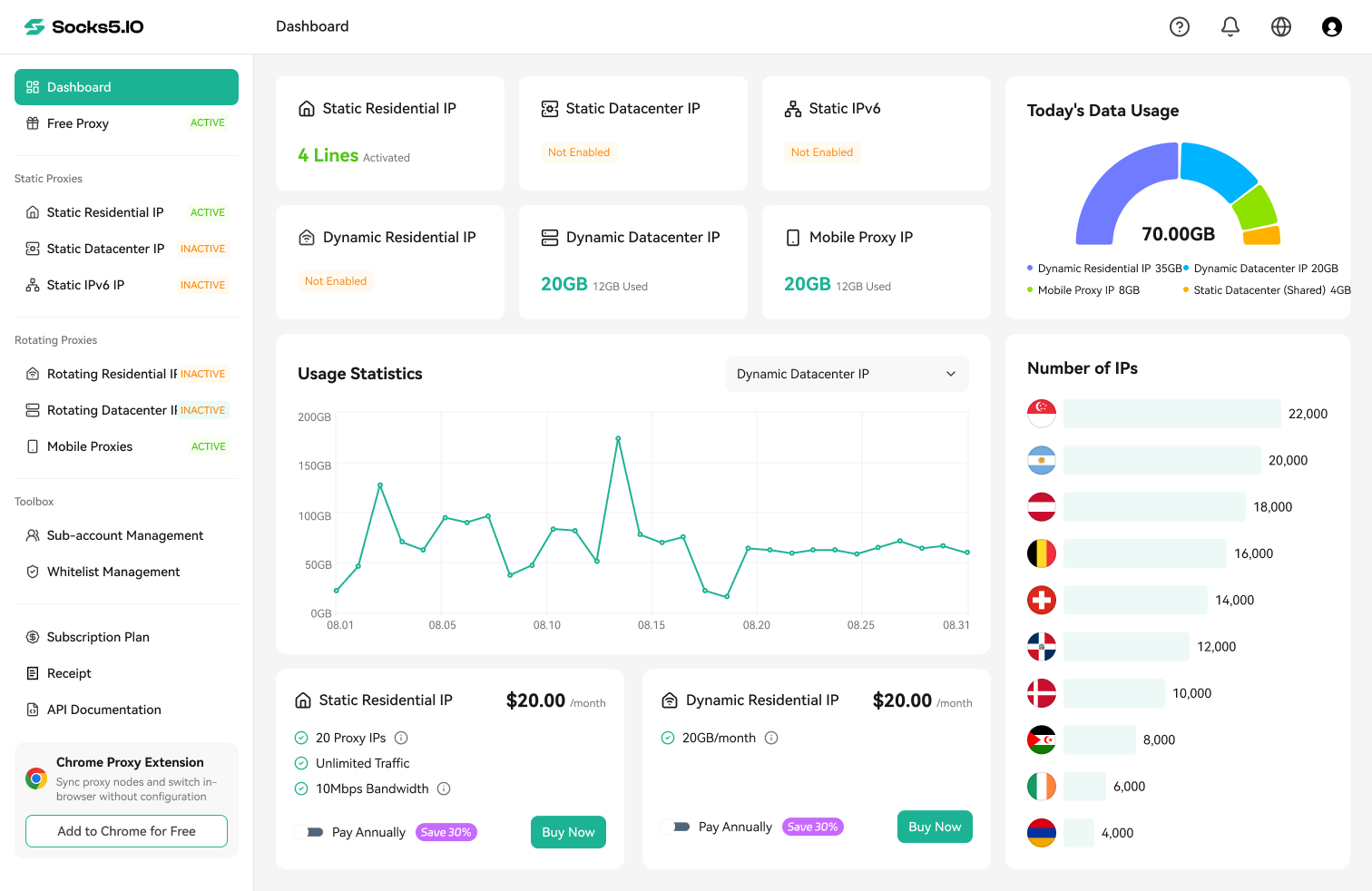
Socks5.IO’s rotating residential proxies offer country/state/city targeting, rotating and sticky sessions, and HTTP(S)/SOCKS5 support. For Example Brand, use these controls to compare regional results and keep search-to-seller sequences on a consistent exit. The 100 GB package totals $125 with 30-day validity.
For longer investigations, its separate static residential proxies provide ISP-assigned addresses retained for the rental period, with per-IP billing and unlimited traffic. Choose between the products by required continuity and expected usage; collection and case management run in your own tools.

2. Bright Data: Proxy Management with Additional Collection Options
Bright Data offers residential, ISP, mobile, and datacenter proxies alongside collection products, dashboard/API management, and integrations. Its residential product page lists geographic targeting and sticky/rotating sessions. The displayed $4/GB PAYG offer uses coupon RESIGB50, a 50% promotion against the $8/GB regular rate.
For imitation-storefront checks, identify whether you need proxy access, rendered captures, or extracted listing fields. Confirm which product supplies those outputs and its separate price and setup requirements.

3. Rola IP: A Residential Option with Clear Package Sizing Decisions
Rola IP’s rotating residential service lists HTTP(S)/SOCKS5, country/state/city targeting, and rotating/sticky sessions for an existing collection stack. For a time-limited launch investigation, compare PAYG spending with the $200 commitment for its 100 GB package. The package lasts 30 days and unused traffic expires, so include both discovery and follow-up checks in the usage estimate.

4. Oxylabs: Compare Proxies with Managed Data Collection
Oxylabs offers proxies and data-access tooling, including collection products with JavaScript rendering and screenshots. Its pricing and restrictions list the $30/month Starter subscription, with up to 5 GB when all credit is used at the $6/GB residential rate. Other products use different rates; VAT may apply.
The residential FAQ restricts targets including Apple domains and App Stores and states that self-service purchases are non-refundable. Confirm watchlist eligibility and whether your selected collection product includes rendering and screenshots before purchase.

5. DataImpulse: Non-Expiring Traffic for Intermittent Monitoring
DataImpulse’s non-expiring traffic suits campaigns with bursts of discovery followed by quiet follow-up periods. Its residential service lists HTTP(S)/SOCKS5 and country targeting. After the one-time $5/5 GB new-customer offer, the displayed Basic top-up is $50 for 50 GB.
Factor finer-targeting charges and later top-up commitments into the budget. Retained traffic credit does not reserve a particular exit; keep listing IDs and market history in your own collector.

6. ProxyScrape: A Small Paid Trial Before a Larger Commitment
ProxyScrape’s $1/1 GB paid trial lets you check a known listing and seller sequence before purchasing a larger bundle. Its residential page lists country/state/city targeting, rotating and sticky sessions, HTTP/SOCKS5, and username/password authentication.
Regular bundles depend on the selected term: the screenshot shows 5 GB for 30 days at $14.25 excluding VAT. Both upload and download traffic count, so measure the complete task rather than extrapolating from the trial’s unit price.

7. Proxidize: Recurring Monitoring with City and ISP Targeting
Proxidize’s Residential Per GB service lists country/state/city/ISP targeting, HTTP/SOCKS5, and sticky or random IPs. Its 25 GB monthly package costs $25 and includes unused-data rollover. This suits recurring checks where city or ISP selection affects the investigation.
Each package is a separate monthly subscription. Purchased data stays in the balance when reducing packages; cancellation stops renewal and service continues through the current billing period. Confirm access to remaining data after all subscriptions end. Account creation is free, but proxy use follows payment and approved KYC for individuals or KYB for companies; target restrictions still apply.
There is no free proxy trial. The refund policy allows eligible requests within 30 days of payment when total residential product-type usage is under 10 GB. Approved refunds cancel the related subscription and remove associated proxies or GB. Cancellation alone does not issue a refund.

How Should You Test and Budget Before Buying?
Set Pass Conditions Before the Trial
Test each provider with the same search, listing, and seller sequence in every required market, using a known listing to validate extraction. Repeat at different times under comparable conditions:
| Requirement | Pass evidence | If it fails |
|---|---|---|
| Required targets allowed | Product policy or written support confirmation | Select an eligible product or provider |
| Correct market context | Exit check plus required page locale/delivery settings | Correct configuration and repeat |
| Complete content | Expected page and all mandatory fields present | Diagnose rendering or extraction |
| Sequence continuity | Search, listing, and seller checks finish under the required session | Change session setup or product |
| Reviewable evidence | URL, identity, timestamp, context, and capture can be matched | Fix evidence capture |
| Affordable operation | Measured billable use and review workload fit the budget | Change scope, tooling, or plan |
Mark each requirement Pass, Adjust and retest, or Unsuitable. Set acceptable noncritical failure rates before comparing results, and reject options that lack required markets or target eligibility.
Estimate Cost from Complete Tasks
Define a task as one query in one market, its planned result depth, and selected listing/seller visits. Measure total billable traffic including assets and retries once; do not multiply again by page count.
For example, 2 markets × 10 tasks daily × 30 days gives 600 tasks. Assuming 5 MB per complete task, usage is approximately 3 GB in decimal units. Under Socks5.IO’s dynamic residential proxy pricing, that costs $10.50 at $3.50/GB PAYG. If those tasks produce 480 usable records after review and deduplication, the connection cost is about $0.022 per record. The $125/100 GB package has a lower unit rate but a larger upfront commitment.
Replace these assumptions with measured usage. Track valid zero-result checks separately from object records, and add reviewer labor, browser execution, and maintenance to the total cost.
Check the Contract Details That Affect the Pilot
Confirm location inventory, session duration and idle expiry, authentication, concurrency, and blocked targets. Review billable traffic, minimum top-ups, expiry, renewal, refunds, and support. Check IP sourcing and participant consent, retained logs, credential security, and case exports. Published network uptime alone does not establish collection success on your targets.
What Should You Fix Before Scaling Monitoring?
- Connection fails: Check the endpoint, port, authentication, product access, and allowlist before investigating the destination.
- Wrong region: Inspect delivery settings, cookies, login state, and the exit location together.
- Missing fields: Check page type, JavaScript loading, waits, and selectors; additional IPs will not repair an extraction rule.
- Repeated alerts: Review stable object IDs, market-aware grouping, and change tracking.
- Sudden zero results: Check task completion, scope, the known reference listing, and potentially stale content.
- Growing review backlog: Adjust priorities and noisy matching before collecting more pages.
Set source-specific concurrency and retry limits, pausing for review after repeated challenges. Track planned tasks, valid checks, coverage gaps, review delays, and recurrence. Expand when evidence quality, reviewer capacity, and measured costs meet your limits.
Choose Proxies for Brand Protection Around Your Monitoring Task
Start with one priority product, source, and market. Use proxies when the task needs a regional exit or connection continuity, then choose a plan by usable results, session requirements, and total cost. Occasional checks that already work may need no proxy purchase.
Ready to configure your pilot? Start with Socks5.IO, choose the location and session mode for your collector, and measure record quality and cost before expanding.

 Gideon Reed


 Kevin Lin