
There are four ways to scrape Amazon product data: the official Creators API, a managed scraper API, a no-code tool, or a Python script. Choose by the fields you need, your eligibility, your budget and who will maintain the integration. This guide compares the options and shows how to export product fields to CSV with Python.
Key takeaways
- Affiliate publishing: evaluate the Creators API if you meet Amazon’s eligibility requirements and your use fits its license.
- Structured data without maintaining a parser: compare scraper APIs by marketplace coverage, fields and cost per usable result.
- Small, occasional exports: a no-code tool can reduce setup work, but check its pagination, export and scheduling limits.
- Custom parsing and storage: Python offers control, with proxy costs, layout changes and access failures left to you.
What Amazon product data can you scrape?

Product pages commonly display a title, price, rating, main image, ASIN, availability and seller information. Which fields are visible depends on the marketplace, delivery location, selected variation, seller and whether the visitor is signed in. Search pages expose a subset of these fields, and their pagination is not a reliable way to enumerate the entire catalog.
Ratings and review summaries may be visible on product pages, while full review access can require signing in. The Python example below extracts title, price, rating and image URL from product-page HTML. Collecting Amazon offers and written reviews involves additional data sources, pagination checks and separate CSV records.
Before you scrape: access and data-use rules
Amazon’s Conditions of Use exclude collection of product listings, descriptions and prices, and the use of data-mining or extraction tools, from the ordinary license. The restriction is not limited to signed-in pages. Use an official API within its license, appropriately licensed data, or a collection route for which you have permission.
The site’s robots.txt provides crawler directives; it does not grant a data-use license or settle the legal status of a project. Marketplace terms and applicable law also matter.
For a permitted collection workflow, keep request rates modest, stop on access challenges or rate limits, and store only the fields you need. Reviews and seller details can contain personal information, so a product-data project should not collect them by default.
How to choose a method
Five questions narrow the choice.
-
How many pages a month?
Compare your planned volume with the actual export limits, scheduling options and billing units. A one-off export and a recurring monitoring job can need different tools even at the same page count. -
Which fields?
Check whether the tool returns the exact fields you need, including title, price and rating. Buy box details, seller data, rank and variations need a tool that parses them for you or a script you maintain. -
Do you qualify for the official API?
If you run an Amazon affiliate site, the official route may cover you. -
Who maintains it?
Amazon changes its page layouts often, so a script needs regular fixes. Browserless warns that Amazon runs frequent layout tests, so the same product can come back with different markup. -
What is the cost per successful page?
Include failed requests, retries, traffic and maintenance. Verify what each vendor considers a billable result.
Method |
Best for |
Data you get |
Cost / access model |
Main limit |
|---|---|---|---|---|
Official Amazon API (Creators API) |
Affiliate sites showing product details |
Catalog data Amazon exposes, by ASIN, keyword or category |
Tied to Amazon Associates eligibility |
Needs an Associates account and recent sales |
Scraper API |
Steady volume without maintaining parsers |
Vendor-specific structured fields |
Per request, record or result |
Costs add up at scale; output differs by vendor |
No-code tool or extension |
Small, one-off jobs by non-developers |
The fields on the pages you point it at |
Free tier or monthly plan |
Export and scheduling limits vary by tool |
Python script with residential proxies |
Custom fields, moderate volume, full control |
Whatever you parse |
Proxy traffic plus your time |
You maintain parsing and handle access errors |
Method 1: the official Amazon API
The Amazon Creators API provides catalog access through SearchItems, GetItems, GetVariations and GetBrowseNodes. It is intended for publishers, influencers and affiliate partners building shopping experiences, rather than unrestricted catalog extraction.
Amazon lists enrollment in the Associates program for the target marketplace and at least 10 qualifying sales within the past 30 days as prerequisites for access to the PA API through the Creators API. You also need to register for API access, generate credentials and follow the API license for storage and reuse.
Start here if you are an eligible affiliate publisher. For market research, check whether the API’s fields and data-use license fit your project before building around it.
Method 2: a scraper API
A scraper API accepts a URL, ASIN or search query and returns data in a vendor-defined format. It can reduce proxy management and parser maintenance. Compare the published offers below by billing unit, required fields and marketplace coverage.
| Provider | Published offer | Key buying consideration |
|---|---|---|
| Bright Data | 5,000 free records per month; pay as you go at $1.50 per 1,000 records | Required endpoint, output fields and what counts as a successful record |
| Decodo | Amazon page advertises a free plan of up to 2,000 requests and pricing starting at $0.15 per 1,000 requests | Credit usage for your target and rendering options; the headline starting rate is not necessarily the effective rate for your workload |
| Apify Amazon Product Scraper | Listed from $3.00 per 1,000 results | This specific actor’s input, output and full charges; other Apify actors have different terms |
| SerpApi | Free plan with 250 searches per month | Supported Amazon endpoint, fields and query limits |
A request, record, result and search are different units. Calculate total billed cost ÷ usable results, accounting for missing fields and duplicates, and check the plan terms before subscribing.
Pick a scraper API when structured output and reduced maintenance matter more than controlling every parsing decision.
Method 3: no-code tools and extensions
Browser extensions and point-and-click tools let you select fields and export results without writing a parser. For example, Web Scraper publishes an Amazon listings scraper for category and search pages. Compare its sample output with your requirements before paying for a workflow.
These tools can suit a small, occasional export such as an authorized price research sheet. Check whether the tool follows pagination, handles variations, exports the format you need and supports scheduled runs. Test for missing or duplicate products rather than assuming that an export contains every search result.
Method 4: Python with residential proxies
The first three methods are usually the better starting points when you want managed access, a ready-made export, or the official affiliate workflow. This section goes deeper on Python because it is the option that leaves field selection, parsing, storage and request pacing in your hands.
A script gives you control over fields, collection timing and storage. It also leaves layout changes, network failures and access restrictions to you.

What proxies do and do not fix
The core value of a proxy lies in taking over identity masking at the network layer. By constantly rotating or locking an exit IP in your target region, it ensures your Python scraper or HTTP client won’t be outright blacklisted by target websites for “high-frequency requests from a single IP.”
Of course, comprehensive anti-bot evasion is multi-dimensional (requiring, for example, browser fingerprinting and User-Agent optimization). However, across all these components, having a high-purity proxy network with precise session control is the first and most critical step. The example below demonstrates how to use a sticky proxy to fetch only the target HTML, maintaining IP stability while maximizing bandwidth cost savings.
When building your custom scraping workflow, how do you balance the scraping success rate with proxy costs? You can check out our Best Proxies for Web Scraping guide to quickly find the proxy solution that fits your business scale.
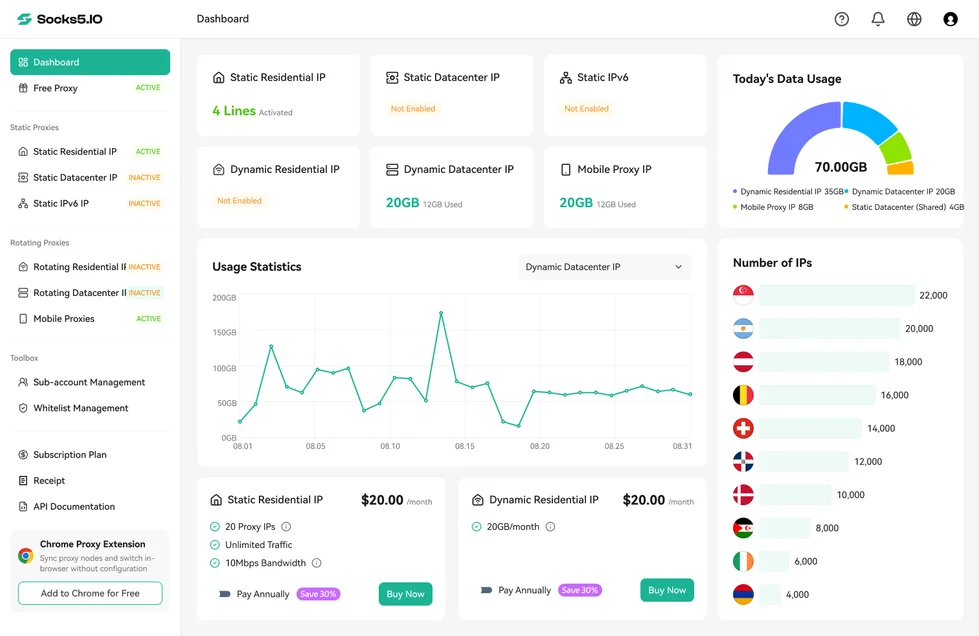
Proxy setup with Socks5.IO
Socks5.IO’s rotating residential proxies are billed by traffic. Its published plans include $3.50/GB pay as you go, a 75 GB bundle at $1.60/GB and a 20,000 GB bundle at $0.26/GB. Both bundles are valid for 30 days. Generate your proxy credentials in the dashboard with the required country and session settings; use the proxy user credentials, not your dashboard login.

For a planning example, assume each fetch uses 2 MB of billable traffic and use decimal units, 1 GB = 1,000 MB. Then 1,000 fetches use 2 GB: $7 at the published $3.50/GB rate, or $3.20 allocated against the 75 GB bundle. But that bundle’s full purchase is 75 × $1.60 = $120, valid for 30 days: $3.20 is a traffic allocation, not the amount you pay to buy the bundle. Allow extra capacity for failed requests and other billable traffic, using the dashboard usage figures to refine the estimate.
Do not estimate script traffic from a browser’s full page weight: this script downloads HTML without loading page assets. Compare a scraper API and proxy workflow using total expenditure per usable result, including minimum purchases and unused capacity.
The official residential proxy session settings show USERNAME_any-number-country-us for a sticky US session. The documented standard duration is 10 minutes, with a new IP assigned after about 60 seconds without a request. Generate the full username in the dashboard and copy it exactly; do not append a second set of session parameters.

A rotating session assigns a new residential IP on every request when you add the -f-1 parameter.

Socks5.IO’s IP check tool shows a proxy’s location and network details. The script below also checks its startup exit IP through its own Requests session before fetching product pages. Compare that IP with the location you selected in the dashboard; the proxy’s session settings determine how long it can persist.

How to scrape Amazon product data with Python, step by step
The example fetches one marketplace, amazon.com, and writes title, raw price text, rating and image URL to CSV, together with collection context. It makes no automatic retries, does not follow redirects and stops on an access challenge or unexpected layout. A 404 is skipped as a missing page; it does not prove that a product is discontinued.
Install and configure
Use Python 3.12 or later. The commands below use Windows PowerShell; create a virtual environment and install Requests with SOCKS support and Beautiful Soup:
python -m venv .venv
.\.venv\Scripts\python.exe -m pip install "requests[socks]==2.34.2" "beautifulsoup4==4.15.0" "PySocks==1.7.1"
In Socks5.IO’s dashboard, open Rotating Residential IP → Proxy Setup and select a proxy user, a US location, SOCKS5 and a sticky session. The official authentication instructions describe credential generation. Copy the generated host, port and complete proxy username; do not substitute your dashboard login. Set a complete proxy URL using socks5h://username:password@host:port, URL-encoding reserved characters in the username and password separately. Requests uses socks5h to resolve target hostnames through the proxy, as its SOCKS documentation explains.
Set these environment variables in the terminal that will run the script:
$env:PROXY_URL = 'socks5h://ENCODED_PROXY_USERNAME:ENCODED_PROXY_PASSWORD@PROXY_HOST:PROXY_PORT'
$env:SCRAPER_CONTACT = 'YOUR_REAL_CONTACT_EMAIL'
$env:PROXY_COUNTRY = 'US'
Replace every placeholder. PROXY_COUNTRY is a label for the country you requested in the dashboard, not a setting that changes the proxy or verifies its location. The script checks the configuration before making requests and never prints the proxy URL or password.
Save and run the script
Save the following as amazon_products.py:
"""Small, permission-based Amazon HTML example; no challenge bypass or retries."""

import argparse
import csv
import ipaddress
import os
import re
import sys
import time
from datetime import datetime, timezone
from urllib.parse import urlsplit

import requests
from bs4 import BeautifulSoup


def build_session():
    proxy = os.environ.get("PROXY_URL", "").strip()
    contact = os.environ.get("SCRAPER_CONTACT", "").strip()
    try:
        parsed = urlsplit(proxy)
        valid = (
            parsed.scheme == "socks5h" and parsed.hostname and parsed.port
            and parsed.username and parsed.password
            and parsed.path in ("", "/") and not parsed.query and not parsed.fragment
        )
    except ValueError:
        valid = False
    if not valid:
        raise ValueError("Set PROXY_URL to a complete, URL-encoded socks5h proxy URL")
    if not re.fullmatch(r"[^\s@]+@[^\s@]+\.[^\s@]+", contact) or contact.endswith("@example.com"):
        raise ValueError("Set SCRAPER_CONTACT to a real contact email address")
    session = requests.Session()
    # Do not let environment proxies or NO_PROXY override this configuration.
    session.trust_env = False
    session.proxies.update({"http": proxy, "https": proxy})
    session.headers.update({
        "User-Agent": f"price-research/1.0 (contact: {contact})",
        "Accept-Language": "en-US,en;q=0.9",
    })
    return session


def request_page(session, url, label):
    try:
        response = session.get(url, timeout=(10, 30), allow_redirects=False)
    except requests.exceptions.ProxyError:
        print(f"{label}: proxy connection or authentication failed", file=sys.stderr)
        return None
    except requests.exceptions.Timeout:
        print(f"{label}: connection or read timeout", file=sys.stderr)
        return None
    except requests.exceptions.SSLError:
        print(f"{label}: TLS verification failed", file=sys.stderr)
        return None
    except requests.exceptions.RequestException:
        # Exception strings can contain the proxy URL and credentials.
        print(f"{label}: network or client configuration error", file=sys.stderr)
        return None
    return response


def check_exit_ip(session):
    response = request_page(session, "https://api.ipify.org?format=json", "IP check")
    if response is None or response.status_code != 200:
        raise ValueError("Proxy exit IP check failed; no product pages requested")
    try:
        return str(ipaddress.ip_address(response.json()["ip"]))
    except (ValueError, KeyError, TypeError):
        raise ValueError("IP check did not return a valid public-IP response") from None


def parse_product(html):
    soup = BeautifulSoup(html, "html.parser")
    title = soup.select_one("#productTitle")
    if not title or not title.get_text(strip=True):
        return None
    price = soup.select_one(
        "#corePrice_feature_div .a-offscreen, "
        "#corePriceDisplay_desktop_feature_div .a-offscreen"
    )
    rating = soup.select_one("#acrPopover")
    image = soup.select_one("#landingImage")
    return {
        "title": title.get_text(strip=True),
        "price": price.get_text(strip=True) if price else "",
        "rating": rating.get("title", "") if rating else "",
        "image": image.get("src", "") if image else "",
    }


def fetch_product(session, asin):
    response = request_page(session, f"https://www.amazon.com/dp/{asin}", asin)
    if response is None:
        return "stop", None
    status = response.status_code
    if status == 404:
        print(f"{asin}: HTTP 404; page not found, skipping")
        return "missing", None
    if status != 200:
        detail = {
            403: "access denied", 429: "rate limited; no automatic retry",
            503: "service unavailable or access challenge",
        }.get(status, "unexpected response or redirect")
        print(f"{asin}: HTTP {status}; {detail}; stopping", file=sys.stderr)
        return "stop", None
    if re.search(r"captcha|validatecaptcha|automated access|robot check", response.text, re.I):
        print(f"{asin}: possible access challenge; stopping", file=sys.stderr)
        return "stop", None
    product = parse_product(response.text)
    if product is None:
        print(f"{asin}: missing product title; unexpected layout or challenge; stopping", file=sys.stderr)
        return "stop", None
    return "ok", product


def run(session, asins, output, delay=10):
    exit_ip = check_exit_ip(session)
    print(f"Proxy exit IP at start: {exit_ip}")
    fields = [
        "asin", "marketplace", "collected_at_utc", "currency_assumption",
        "requested_proxy_country", "proxy_exit_ip_at_start",
        "title", "price", "rating", "image",
    ]
    written = 0
    # Exclusive creation avoids silently overwriting a previous collection.
    with open(output, "x", newline="", encoding="utf-8") as handle:
        writer = csv.DictWriter(handle, fieldnames=fields)
        writer.writeheader()
        for index, asin in enumerate(asins):
            if index:
                time.sleep(delay)
            status, product = fetch_product(session, asin)
            if status == "stop":
                print(f"Stopped; {written} rows saved to {output}", file=sys.stderr)
                return 1
            if status == "missing":
                continue
            writer.writerow({
                "asin": asin, "marketplace": "amazon.com",
                "collected_at_utc": datetime.now(timezone.utc).isoformat(),
                "currency_assumption": "USD",
                "requested_proxy_country": os.environ.get("PROXY_COUNTRY", "unspecified"),
                "proxy_exit_ip_at_start": exit_ip,
                **product,
            })
            written += 1
            absent = [key for key in ("price", "rating", "image") if not product[key]]
            print(f"{asin}: saved" + (f"; empty fields: {', '.join(absent)}" if absent else ""))
    print(f"Saved {written} rows to {output}")
    return 0 if written else 1


def main():
    parser = argparse.ArgumentParser(description=__doc__)
    parser.add_argument("--asin", nargs="+", required=True, help="Authorized product ASINs")
    parser.add_argument("--output", default="products.csv")
    args = parser.parse_args()
    if any(not re.fullmatch(r"[A-Z0-9]{10}", asin) for asin in args.asin):
        parser.error("Each ASIN must contain exactly 10 uppercase letters or digits")
    try:
        with build_session() as session:
            return run(session, args.asin, args.output)
    except (ValueError, OSError) as error:
        print(f"Configuration or output error: {error}", file=sys.stderr)
        return 1


if __name__ == "__main__":
    sys.exit(main())
Find the ASIN in the product URL: it is the 10-character identifier after /dp/, or in the Product information section. Replace YOUR_ASIN below with that identifier and run the command from the directory containing the script:
.\.venv\Scripts\python.exe amazon_products.py --asin YOUR_ASIN --output products.csv
Use a new output filename for each run; the script refuses to overwrite an existing CSV. It prints the startup exit IP and saves each parsed product as a row. A run with at least one saved row and no stopping error exits with status 0. Compare the title and raw price text with the source page, including the selected variation and offer. Empty fields are reported; a challenge or unexpected response stops the run with status 1 and keeps rows already collected.
To collect a short list, pass multiple ASINs after --asin, separated by spaces. The script waits 10 seconds between product requests.
currency_assumption records USD for this US-store example; it is not detected from the page, and a dollar symbol alone is not proof of currency. requested_proxy_country records your label, while proxy_exit_ip_at_start records the initial check. Verify the actual currency and delivery context before comparing observations.
Common errors
| Message or symptom | What to check | Next step |
|---|---|---|
| Configuration error before any request | Complete proxy URL, encoded credentials and real contact email | Correct the environment variables in the same terminal |
| Proxy connection or authentication failed | Dashboard-generated host, port, proxy user status and available traffic | Correct the configuration and repeat the IP check |
| Connection or read timeout | Network reachability and proxy service status | Diagnose connectivity before another collection run |
| HTTP 403, 429, 503 or a challenge | Target access rules, rate limits and permitted access route | Stop; for 429, respect any Retry-After guidance before considering an authorized later run |
| Missing product title | Challenge page or changed HTML layout | Inspect an authorized saved sample and update the parser; do not assume the proxy IP is at fault |
| Empty price | No visible offer, different layout or delivery/variation context | Compare against the source page; do not interpret a blank as zero |
Scraping Amazon prices
Price tracking needs more context than a number. A product can have different offers, variations, coupons and delivery conditions. Four habits help keep observations comparable:
- Scope the selector. Many product layouts include the combined price in an
a-offscreenelement. A page can contain several such elements, so select within the main price container rather than taking the first match anywhere on the page. - Record the context. Keep the marketplace, timestamp and location settings with each price. The example labels currency as an assumption; confirm the displayed currency before comparing observations.
- Do not mix domains. amazon.com, amazon.co.uk and amazon.de differ in markup, language and currency format, so a parser built for dollars can fail on another store.
- Track missing fields. Empty prices can indicate a changed layout, unavailable offer or access problem. Record and investigate them rather than treating them as a zero price.
A price monitoring proxy workflow also needs consistent delivery location, selected variation and offer type; the small example above does not capture those dimensions automatically.
Keeping an Amazon scraper working
Page layouts can vary by marketplace, product and visit. Keep representative HTML samples for the fields you need, and check the parser against them when you change a selector. Monitor missing prices and titles separately: a valid title with no price can mean an unavailable offer, while a page with no title needs closer inspection.
Do not silently substitute zero for a missing price or another seller’s offer for the selected product’s price. If layout maintenance becomes frequent, compare that work with the cost of an API that maintains its own parser.

 Gideon Reed


 Valerie Quinn