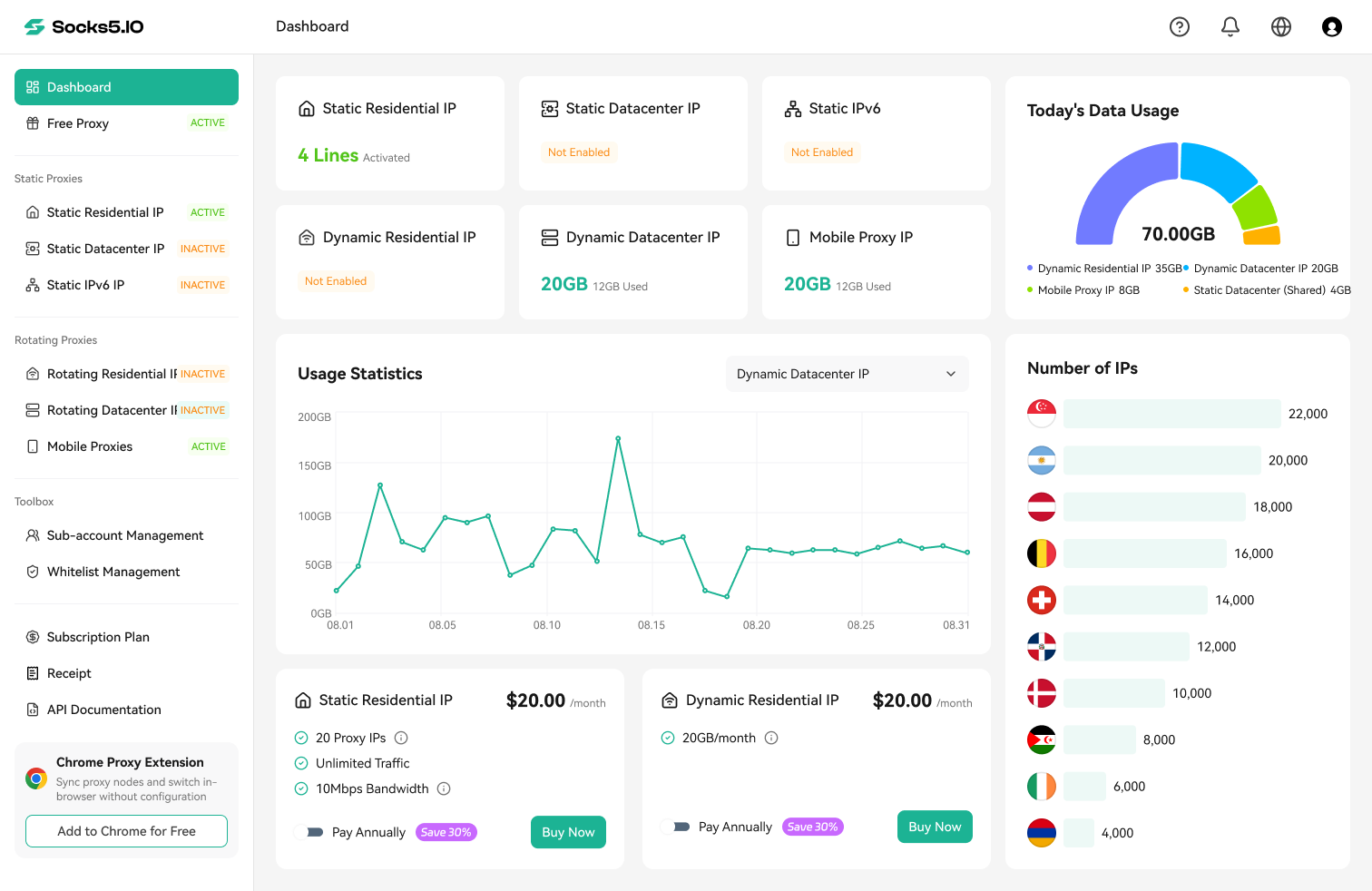

A residential proxy is an intermediary that sends your internet request through an IP address associated with a consumer internet service provider (ISP) or residential network. Your browser, script, or application connects to a proxy gateway, which selects a residential exit and forwards the request. The destination normally sees that exit IP instead of your original public IP. This changes the request’s network identity and approximate location, but it does not automatically change cookies, browser fingerprints, account identity, or request behavior.
Key Takeaways
- A residential proxy changes the public IP and network location that a destination normally sees by routing traffic through an ISP-associated residential exit.
- Residential describes the exit IP’s network identity—not whether the connection uses HTTP, HTTPS, or SOCKS5.
- Rotating, sticky, static, shared, and dedicated describe different properties and can overlap.
- Ethical IP sourcing, active availability, session controls, traffic billing, and real-world testing matter more than an advertised pool-size headline.
- A residential proxy can reduce an IP-origin mismatch, but it cannot guarantee anonymity, access, or freedom from CAPTCHAs and blocks.
What Makes a Proxy “Residential”?
The word residential describes the network identity of the exit IP. It does not describe a protocol. A residential proxy may accept HTTP, HTTPS, or SOCKS5 connections, but none of those protocols makes an IP residential by itself.
What is a residential proxy IP?
A residential proxy IP is an address associated with an ISP that serves consumers or with a residential network participating in a proxy pool. Public IP databases can usually associate the address with an autonomous system number (ASN), ISP, country, and approximate region. The accuracy and labels vary between databases, so one lookup should not be treated as definitive proof of how an address was sourced.
It is also important to separate IP registration from physical hosting. Dynamic residential networks commonly use exits on consumer connections. Static ISP proxies may use IP ranges registered to an ISP while running on stable infrastructure. For that reason, “residential,” “ISP,” and “real home device” are not always interchangeable terms.
What is a residential proxy server?
People often call every component a residential proxy server, but the request path contains several distinct parts:
| Component | Function |
|---|---|
| Client | Creates the web or API request |
| Proxy gateway | Authenticates the customer and selects a proxy pool |
| Proxy server | Receives and forwards network traffic |
| Residential exit node | Connects to the destination with a residential-network IP |
| Target website | Receives the request and returns a response |
The gateway is the hostname and port that you configure. The residential exit is the public IP that the destination usually observes. One gateway can provide access to many exits, which is why a rotating service does not require customers to maintain a list containing every available residential IP.
How Are Residential Proxy IPs Sourced?
Residential proxy networks do not all obtain addresses in the same way. Common legitimate models include bandwidth-sharing applications whose users knowingly opt in, disclosed SDK partnerships, and direct commercial agreements with ISPs or other network owners. Participants should receive clear information about what is shared, how they are compensated, which traffic is prohibited, and how to stop participating.
Static ISP products are sourced differently from many rotating residential pools. The provider may obtain ISP-registered addresses through direct agreements and host them on stable infrastructure. Such an address can have an ISP network identity without being an active computer inside a person’s home.
Unauthorized sourcing is a serious warning sign. Hidden enrollment, vague consent, difficult opt-out processes, malware, botnets, and compromised routers or IoT devices are not acceptable ways to build a residential network. The FBI/IC3 residential proxy network advisory shows why customers should investigate sourcing instead of assuming that every residential address was obtained responsibly.
Before choosing a provider, look for a public sourcing policy that explains informed consent, compensation, opt-out controls, participant safeguards, traffic restrictions, and abuse response. Socks5.IO’s About Us page describes ethical and compliance standards, but that general statement is not a substitute for a product-specific sourcing policy or acceptable-use terms. Ask the provider for the current documents before routing traffic through a residential network. If the provider will not explain where its residential capacity comes from, treat that as a material risk.
How Does a Residential Proxy Work?
The basic request flow has five steps:
- The client sends a request to the proxy gateway.
- The gateway authenticates the connection using credentials or an approved source IP.
- The proxy network selects an available residential exit according to the location and session settings.
- That exit connects to the destination website and sends the request.
- The response returns through the proxy network to the client.

What changes when you use a residential proxy?
| Usually changes | Does not automatically change |
|---|---|
| Public source IP | Browser fingerprint |
| Approximate location | Cookies |
| Visible ISP and ASN | Logged-in identity |
| Network route | Request frequency |
| Exit IP reputation | JavaScript environment |
This distinction matters because modern websites evaluate more than an IP address. They may consider headers, cookies, request timing, session consistency, browser capabilities, and previous activity associated with an account or exit. A residential proxy can reduce IP-origin mismatches, but it cannot make unrealistic automation look like normal browsing on its own. Zyte makes the same practical distinction in its explanation of residential proxies and broader anti-bot signals.
The environment also changes what can leak. A command-line HTTP client does not expose browser WebRTC candidates because it has no WebRTC implementation. A browser may expose additional local-network signals depending on its configuration. DNS behavior depends on the proxy protocol and client: for example, a SOCKS client that resolves names locally behaves differently from one that asks the proxy side to resolve them.
Rotating, Sticky, Static, Shared, and Dedicated Explained
Proxy labels often sound like mutually exclusive product types, but they describe different dimensions.

| Classification | Options | What it describes |
|---|---|---|
| IP allocation | Rotating or static | Whether the assigned exit changes |
| Session behavior | Per-request or sticky | How an IP is retained within a workflow |
| Access model | Shared or dedicated | Whether other customers can use the address |
| Network identity | Residential, ISP, mobile, or datacenter | The origin or registration of the IP range |
Rotating residential proxies
A rotating residential proxy selects another exit for each request or after a configured interval. Rotation distributes requests across a pool and is useful for localized public-data collection, price monitoring, and search-result measurement. It can also break multi-step workflows if the destination expects the same network identity throughout a session.
Rotating residential proxies support both automatic rotation and sticky sessions, so rotation and persistence are modes within the same general product rather than completely separate network types.
Sticky residential sessions
A sticky session asks the gateway to reuse the same exit temporarily. It is useful when several consecutive requests belong to one workflow. Sticky does not mean permanent: the IP can change when the session expires, remains inactive too long, or the underlying exit becomes unavailable. SOCKS5.IO’s residential proxy session control documentation states a standard ten-minute session and says an idle period longer than 60 seconds can trigger a new IP assignment. Check the current policy before choosing a session duration, because availability and retention rules can change.
Static residential and ISP proxies
A static residential or ISP proxy keeps a fixed address for a purchased period. It trades the diversity of a rotating pool for continuity. This can be appropriate for approved workflows that require a stable network identity. Some ISP proxies are hosted on datacenter infrastructure even though the IP range is registered with an ISP, so they should not automatically be described as active household devices. See the static residential proxies page for its current product definition and availability.
Shared and dedicated describe another property. A rotating pool may be shared across customers, while a static IP may be dedicated to one customer. A proxy can therefore be rotating and shared, or static and dedicated.
Advertised Pool Size vs. Available Residential IPs
A headline such as “millions of IPs” does not mean that every address is online, available in your target location, or unique during your test. Residential nodes can connect and disconnect as devices and networks change.
| Pool metric | What it means | Why it matters |
|---|---|---|
| Total or advertised pool | The provider’s overall reported network scale | Useful for context, but definitions vary between providers |
| Active pool | Exits currently online and available for allocation | Better reflects immediate capacity |
| Targeted pool | Active exits remaining after country, state, city, or ISP filters | Narrow targeting can sharply reduce availability |
| Unique IPs observed | Distinct exits actually received during a defined test | The most useful figure for your own workflow |
Ask how the provider defines its pool number and over what period it counts unique addresses. Then run a representative test in the locations you need. A smaller, stable targeted pool can be more useful than a larger headline pool with weak availability or inconsistent classification.
Residential vs. Datacenter, ISP, Mobile, and VPN
Option |
Network identity |
Typical behavior |
Main strength |
Main trade-off |
|---|---|---|---|---|
Residential |
Consumer ISP or residential network |
Rotating or sticky |
Regional and ISP-associated exits |
Higher cost and variable performance |
Static ISP |
ISP-registered range |
Fixed |
Session continuity |
Less address diversity |
Mobile |
Cellular carrier |
Rotating or sticky |
Mobile-network representation |
Usually the highest cost |
Datacenter |
Hosting or cloud network |
Fixed or rotating |
Speed and lower cost |
Easier to classify as hosted traffic |
VPN |
VPN server |
Usually fixed per connection |
Device-level traffic routing |
Not designed as a large proxy pool |
The most useful comparison is residential versus datacenter. Datacenter proxies generally offer predictable capacity, lower latency, and a lower cost per request. Residential proxies are more appropriate when the task requires an ISP-associated exit or region-specific public content. Neither is universally better. Using a premium residential network for an unrestricted, high-volume endpoint may increase cost without improving the result.
A VPN is different again. It commonly routes traffic for an entire device or network interface and may provide an encrypted tunnel to the VPN server. A proxy is often configured per application. The word residential does not itself guarantee encryption; transport security still depends on the client, destination, and selected proxy protocol.
When Should You Use a Residential Proxy?
Residential proxies are most useful when network location or IP classification affects which public page a legitimate user receives.
Localized price monitoring
Retailers may publish different prices, stock levels, taxes, or promotions by region. A residential exit in the target market can help a price-monitoring system observe the public page delivered there. The proxy does not guarantee that the website will return a particular result: account state, cookies, request parameters, and experiment assignments can also affect pricing. SOCKS5.IO has a separate overview of price monitoring proxies.
SERP and ad verification
Search results and advertisements vary by location. Residential exits can support approved tests of regional rankings, ad placement, language, and landing-page behavior. City-level targeting can be useful, but narrower filters may reduce the number of available exits and should be tested before a large collection run.
Public market and e-commerce data
Residential proxies can support collection of public product descriptions, availability, reviews, and market signals across regions. Other legitimate uses include review monitoring, brand-protection research, and regional website testing. The data must still be public or authorized, and the collection process must respect applicable law, contractual restrictions, privacy duties, intellectual-property rights, and reasonable request rates.
A residential proxy is not always the right choice. A datacenter proxy may be faster and cheaper when the destination has few IP-based restrictions. A static product is more suitable when an approved workflow requires a long-lived exit. A VPN may be more appropriate for device-level privacy. No proxy should be used to bypass authentication, a paywall, or another access control.
Residential Proxy Advantages and Limitations
| Advantages | Limitations |
|---|---|
| ISP-associated regional network identity | Usually costs more than datacenter capacity |
| Country, state, city, or ISP targeting when supported | Narrow targeting can reduce available exits |
| Rotating and sticky session options | Rotating exits can break logged-in or multi-step sessions |
| Useful for authorized regional testing and public-data work | Latency and availability may vary between peer nodes |
| Can reduce simple hosting-ASN mismatches | Does not change cookies, fingerprints, behavior, or account history |
The practical question is not whether residential proxies are universally “better.” It is whether their network identity and location controls improve the result enough to justify the additional cost and variability.
How to Set Up a Residential Proxy
Start with the task, not with the largest advertised IP pool. Define the required location, session length, protocol, expected traffic, and permitted data before generating credentials.
1. Choose rotating, sticky, or static behavior
| Requirement | Suitable starting point |
|---|---|
| Change exits per request or interval | Rotating residential proxy |
| Keep one exit for a short workflow | Sticky residential session |
| Retain a fixed exit for a longer period | Static residential/ISP proxy |
| Maximize throughput on a simple target | Datacenter proxy |
2. Generate separate proxy credentials
In the provider dashboard, create a proxy user and obtain the gateway host, port, proxy username, and proxy password. Proxy credentials are not necessarily the same as the account credentials used to sign in to the dashboard. Store them in a password manager or environment variables rather than embedding them in a public script.

3. Configure authentication, location, and session settings
Providers commonly support username/password authentication, source-IP allowlisting, or both. Username parameters may also encode a country, state, city, or session identifier. Support differs by product, and a highly specific location may not always have an available exit. Use the current residential proxy getting started guide instead of copying old gateway or parameter values from third-party tutorials.
4. Send a test request with cURL
The following Windows PowerShell example uses placeholders and keeps the proxy credentials separate from the endpoint. Replace every placeholder with values generated by the dashboard:
$proxyUrl = "socks5h://PROXY_HOST:PORT"
curl.exe --proxy $proxyUrl --proxy-user "USERNAME:PASSWORD" `
  --connect-timeout 15 --max-time 30 `
  "https://ip123.in/ip.json"
On macOS or Linux, the same request can be written as:
curl --proxy 'socks5h://PROXY_HOST:PORT' \
  --proxy-user 'USERNAME:PASSWORD' \
  --connect-timeout 15 --max-time 30 \
  'https://ip123.in/ip.json'
Use the exact scheme and endpoint shown in the provider’s current documentation. In cURL, socks5h:// is equivalent to --socks5-hostname and asks the proxy side to resolve the destination hostname; socks5:// resolves it locally. See the official cURL proxy documentation and the SOCKS5 protocol specification for protocol details.
Do not publish real proxy credentials, place them in shared screenshots, or commit them to source control. For production automation, load secrets from a protected environment or secret manager.
5. Verify the result
A successful configuration should meet more than one test:
- The request returns a normal HTTP response.
- The reported public IP differs from the direct connection.
- The reported ISP or ASN matches the intended network type.
- The detected country or region matches the targeting configuration.
- Repeated requests rotate or remain sticky as configured.
- The actual permitted target works, not only an IP-checking endpoint.
Record latency, timeouts, and response codes during a small test before increasing concurrency. Different IP databases may classify the same address differently, so compare several signals rather than relying on one “residential” badge.
Common Residential Proxy Problems and Fixes
| Symptom | Likely cause | How to verify | Fix |
|---|---|---|---|
407 Proxy Authentication Required |
Invalid proxy credentials | Compare the proxy user with the dashboard | Regenerate or copy the credentials again |
| Connection timeout | Wrong gateway, port, or unavailable network path | Test gateway reachability and the timeout | Correct the endpoint or network |
| Wrong country | Invalid or unavailable location parameter | Inspect the exit location | Correct or broaden the location filter |
| IP changes unexpectedly | Rotation is enabled or the sticky session expired | Review the session parameter and timestamps | Use a new sticky session or an appropriate static product |
| IP never changes | Sticky mode remains active | Repeat requests without reusing the session | Enable per-request or timed rotation |
| Browser works but cURL fails | Protocol or authentication settings differ | Compare both configurations field by field | Use the same endpoint, protocol, and credentials |
Target still returns 403 |
Request rate, session, cookies, or other client signals | Reduce the test to one controlled request | Lower the rate and keep the permitted workflow consistent |
| DNS result is unexpected | Local and proxy-side DNS resolution differ | Compare the documented schemes | Select the correct DNS behavior for the client |
None of these changes guarantees access. A destination can restrict automated requests for reasons unrelated to the exit IP, and its rules must be respected.
How Residential Proxy Pricing Works
Rotating residential services are commonly billed by traffic volume, while static residential or ISP products are often billed per IP and time period. Exact models vary, so confirm what the provider counts before estimating cost.
| Pricing question | Why it matters |
|---|---|
| Is billing per GB, per IP, per request, or subscription period? | Different products cannot be compared by headline price alone |
| Are upload and download traffic both counted? | Media and large responses can consume traffic quickly |
| Are failed requests or retries charged? | A low success rate can make a cheap plan expensive |
| Does unused traffic expire? | Expiration changes the effective price of occasional use |
| Are location targeting, sticky sessions, or dedicated access extra? | Required controls may change the final cost |
| Are concurrency and connection limits documented? | Throughput limits can affect project duration |
Measure cost per successful, usable result—not only cost per GB. Start with a small test using realistic pages, response sizes, locations, and session behavior before buying a large plan.
How to Evaluate a Residential Proxy Service
Evaluate providers against a written task specification rather than one headline number.
| Area | Questions to ask | How to verify |
|---|---|---|
| IP sourcing | Are participants informed, compensated, and able to opt out? | Read the public sourcing policy and ask for clarification |
| Target availability | How many active exits exist in the required locations? | Run a timed sample and count unique usable exits |
| Classification | Do multiple databases identify exits as the expected network type? | Compare ASN, ISP, country, and proxy-intelligence results |
| Sessions | How long does sticky mode last, and what happens if a node drops? | Repeat a controlled sequence with one session identifier |
| Rotation | Is rotation per request, time-based, or manually controlled? | Send repeated requests and record exit changes |
| Performance | What are the latency, timeout rate, and success rate on the permitted target? | Test the actual workflow at low concurrency |
| Billing | How are traffic, failures, expiry, and add-ons counted? | Compare documentation with a small real invoice |
| Operations | Are usage statistics, limits, documentation, and support available? | Inspect the dashboard and submit a technical question |
| Compliance | Are acceptable-use, privacy, KYC, and abuse-response policies clear? | Review published policies before sending traffic |
A large pool does not automatically mean better results. Free or unusually cheap residential access may carry hidden costs through weak performance, logging, unauthorized nodes, or a lack of accountable support.
Are Residential Proxies Legal and Safe?
Residential proxies are general-purpose networking tools. Legality and safety depend on where the exits come from, what data is accessed, how requests are made, and which laws and contracts apply. Use them only for public or authorized data. Do not use a proxy to bypass authentication, payment, technical access controls, or another person’s privacy rights. For a high-risk or jurisdiction-specific project, obtain qualified legal advice.
Ethical sourcing matters because residential exits can involve bandwidth from consumer networks. A responsible provider should disclose how participants consent, what traffic is permitted, and how abuse is handled. The FBI’s 2026 public warning about criminal misuse of residential proxy networks illustrates why both providers and customers must treat sourcing and acceptable use seriously; it does not mean legitimate residential proxy technology is inherently unlawful. See the FBI/IC3 residential proxy network advisory.
Before using any proxy service, review the provider’s current terms, sourcing and acceptable-use policies, privacy documentation, supported regions, and compliance requirements. Obtain the current documents from the provider or dashboard and record the retrieval date. Operate only in supported environments and do not use proxies for firewall circumvention or to evade access controls.
Match the Proxy to the Task
A residential proxy routes a request through an ISP-associated or residential-network exit, but it changes only part of the client’s visible identity. Choose residential, mobile, datacenter, or static ISP infrastructure according to location, continuity, speed, cost, and compliance requirements. Then verify the exit IP, ISP, location, protocol, and session behavior before scaling. The right proxy is the one that fits an authorized task—not the one with the most impressive label. For a practical next step, review the getting started guide, generate test credentials, and validate the required location and session behavior at low request volume.

 Gideon Reed
 Kevin Lin