
The best Instagram proxies match your routing needs: fixed ISP proxies for a consistent login IP, rotating residential proxies for location checks, and mobile proxies for carrier-network tests. Socks5.IO is a strong price candidate for teams expecting to use 50 GB of mobile traffic within 30 days, with fixed-IP options available on the same platform. Webshare offers low-cost shared ISP access, Decodo lists dedicated ISP plans, IPRoyal adds dedicated mobile rental, and SOAX offers residential and mobile location options. Compare these for accounts you own or are authorized to manage.
Why use proxies for Instagram—and when do you need one?
Most people can use Instagram on their normal home or mobile connection. A proxy becomes useful when a business task needs a controlled exit IP, a particular location or a carrier-network connection.
-
Consistent routing for authorized account work.
A team working from different locations can route supported clients through an assigned fixed exit. This simplifies network management, but it does not replace account permissions or guarantee that Instagram will accept a login. -
Checks from another region.
A location-specific exit helps a team examine whether network location affects content or campaign visibility. Results can still vary with the account, language, device and personalization; changing the IP does not reproduce every local user’s experience. -
Carrier-network testing.
Mobile proxies provide carrier exits for tests that specifically require them. Using the Instagram app on a phone does not itself require a mobile proxy.
Choose a proxy for a defined routing requirement. If your existing connection already meets that requirement, there may be no reason to buy one. The next step is to match the requirement to a proxy type.
Which proxy type is best for Instagram?
The best proxy type for Instagram depends on how the account or task behaves. Instagram sees the IP address behind every login and request, so pick the kind of IP that stays consistent with that activity over time.
What you do on Instagram |
Best proxy type |
Why it fits |
Session setting |
Avoid |
|---|---|---|---|---|
Maintain a consistent login IP for accounts you own or manage for clients |
Static residential (ISP) |
A fixed address reduces network changes during ongoing account work |
Fixed IP for the rental period; confirm renewal and replacement terms |
Unplanned IP or country changes |
Test how Instagram behaves through a carrier network |
Mobile |
Provides a carrier network exit for a test that requires one |
Sticky session covering the test; verify actual IP persistence |
Assuming every phone app needs a mobile proxy |
Check whether network location affects content or campaign visibility |
Rotating residential |
Location options for authorized checks; availability depends on the plan |
A session covering the check; rotate between independent tasks if needed |
Unplanned IP changes during an authenticated session |
Research public pages within Instagram’s rules |
Rotating residential |
Many short, independent requests |
New IP per request or short sticky sessions |
Automated collection without Instagram’s written permission |
Test a low-cost hosting-network connection |
Datacenter, if the target and client support it |
Lower-cost server-network access may suit some authorized tests |
Fixed or rotating, according to the task |
Assuming low price proves Instagram compatibility |

Illustration of carrier-network and residential-network proxy exits;
Static residential proxies: for consistent login routing
Static residential proxies, often sold as ISP proxies, combine a fixed address with ISP-associated IP space. Some are hosted on server infrastructure, so an ISP label does not prove a household device is providing the connection. A fixed address is useful when you want consistent login routing; it does not guarantee access or a fixed geolocation in every database.
Mobile proxies: for carrier-network requirements
Mobile proxies route traffic through carrier networks. Carriers may use carrier-grade NAT to share public addresses across subscribers, but a carrier IP does not make an app session automatically more reliable. Choose mobile access when the network identity matters to your test, then check session duration, rotation and client routing. A dedicated mobile connection can still change IP when the carrier reconnects it.
Rotating residential proxies: for geo checks and research
Rotating residential proxies draw from residential connections and can change the exit IP between requests or hold it for a sticky session. They can suit authorized location checks and independent requests. For logged-in work, frequent IP changes add network changes to the session, so choose a persistence period that covers the task rather than rotating by default. Compare the total traffic cost, including video loads and retries, before choosing a bundle.
Datacenter proxies: check target compatibility first
Datacenter proxies use hosting-network addresses and can be an economical option for some tasks. Their network classification differs from residential and carrier addresses, but that alone does not prove that a login will succeed or fail. Evaluate the specific endpoint and Instagram’s rules before using one for account work; this comparison does not establish their Instagram reliability.
If you already know which type you need, the Socks5.IO Instagram proxy page lists the static residential, mobile and rotating residential options side by side.
Best Instagram proxy providers compared
Quick picks: which Instagram proxy should you buy?
- Low-cost shared fixed IPs: Webshare. Its entry plan lists 20 shared ISP proxies for $6/month. The separate dedicated static residential entry plan lists 20 IPs for $42/month.
- Teams using 50 GB of mobile traffic within 30 days: Socks5.IO. Its $135 bundle works out to $2.70/GB when fully used—$15 below Decodo’s listed $150 promotional bundle and $145 below IPRoyal’s $280 rotating-mobile bundle. Fixed-IP products are also available on the same platform for separate account-routing needs.
- Small mobile purchases: Decodo. Its promotional pay-as-you-go card lists $4/GB before VAT. The pricing FAQ still quotes $8/GB, so confirm which rate applies to your wallet purchase.
- Dedicated mobile access: IPRoyal. Its 30-day plan starts at $130/month. Choose this purchase model by location, connection and allowance needs; dedicated access does not guarantee a fixed carrier IP.
- Residential and mobile location research: SOAX. Builder includes 200 credits for $200/month before tax; Scale adds ZIP and ASN targeting.
Public prices were checked on October 15, 2026; the supplied dashboard screenshots illustrate historical configurations. The comparison covers purchase costs and published features.
Provider |
Best for |
Static residential purchase |
Mobile purchase |
Main trade-off |
|---|---|---|---|---|
Socks5.IO |
Teams using 50 GB of mobile traffic in 30 days, with optional fixed-IP access on the same platform |
Advertised from $0.70/IP; historical volume tier detailed below |
$135 for 50 GB ($2.70/GB when fully used); $5.50/GB pay as you go |
Use the bundle within 30 days; fixed-IP rental is purchased separately |
Decodo |
Small mobile purchases and dedicated ISP plans |
Dedicated: 3 IPs for $9.99/month; 10 for $29 |
50 GB for $150; PAYG card lists $4/GB, both promotional |
Prices exclude VAT; mobile card and FAQ quote different PAYG rates |
Webshare |
Low-cost shared fixed IPs |
Shared: 20 IPs for $6/month; dedicated: 20 for $42/month |
No mobile product listed on the reviewed page |
Entry purchase links preset 250 GB; higher allowances and access types differ |
IPRoyal |
Dedicated mobile rental alongside traffic bundles |
30-day ISP plans start at $2.70/IP |
50 GB rotating traffic for $280; dedicated 30-day rental from $130 |
Dedicated allowance descriptions conflict across its official pages |
SOAX |
Location research across residential and mobile exits |
No static residential rental listed |
Builder: $200/month, including 200 credits; Tier 1 rate $3/GB |
Geo tiers, credit expiry and traffic in both directions affect usage |
1. Socks5.IO: value for a 50 GB mobile workload

Socks5.IO’s clearest advantage in this comparison is the purchase price for a defined mobile workload. Its mobile pricing page lists a 50 GB bundle for $135, valid for 30 days. At full use, that is $2.70/GB: $15 less than Decodo’s listed $150 promotional 50 GB bundle before VAT, and $145 less than IPRoyal’s $280 rotating-mobile bundle. This makes it a useful shortlist option for teams that already expect to consume around 50 GB of carrier-network testing traffic during that period.
The platform also offers dedicated ISP proxies for fixed account routing. For example, an agency could use fixed endpoints for authorized client-account work and purchase a separate mobile bundle for carrier-network tests. Both product types are available through the same provider, which can simplify purchasing; the mobile bundle does not include fixed-IP rental, and ordinary account management does not itself require mobile traffic.
Choose the bundle by expected usage. Against Socks5.IO’s $5.50/GB pay-as-you-go rate, the $135 bundle reaches price parity at about 24.55 GB. Below that volume, pay as you go costs less; above it, up to 50 GB used within 30 days, the bundle has the lower listed traffic cost. This is a comparison within Socks5.IO’s pricing, not a claim that it is cheapest for every workload. IPRoyal’s dedicated mobile rental starts at $130/month and may suit a different connection or location requirement.
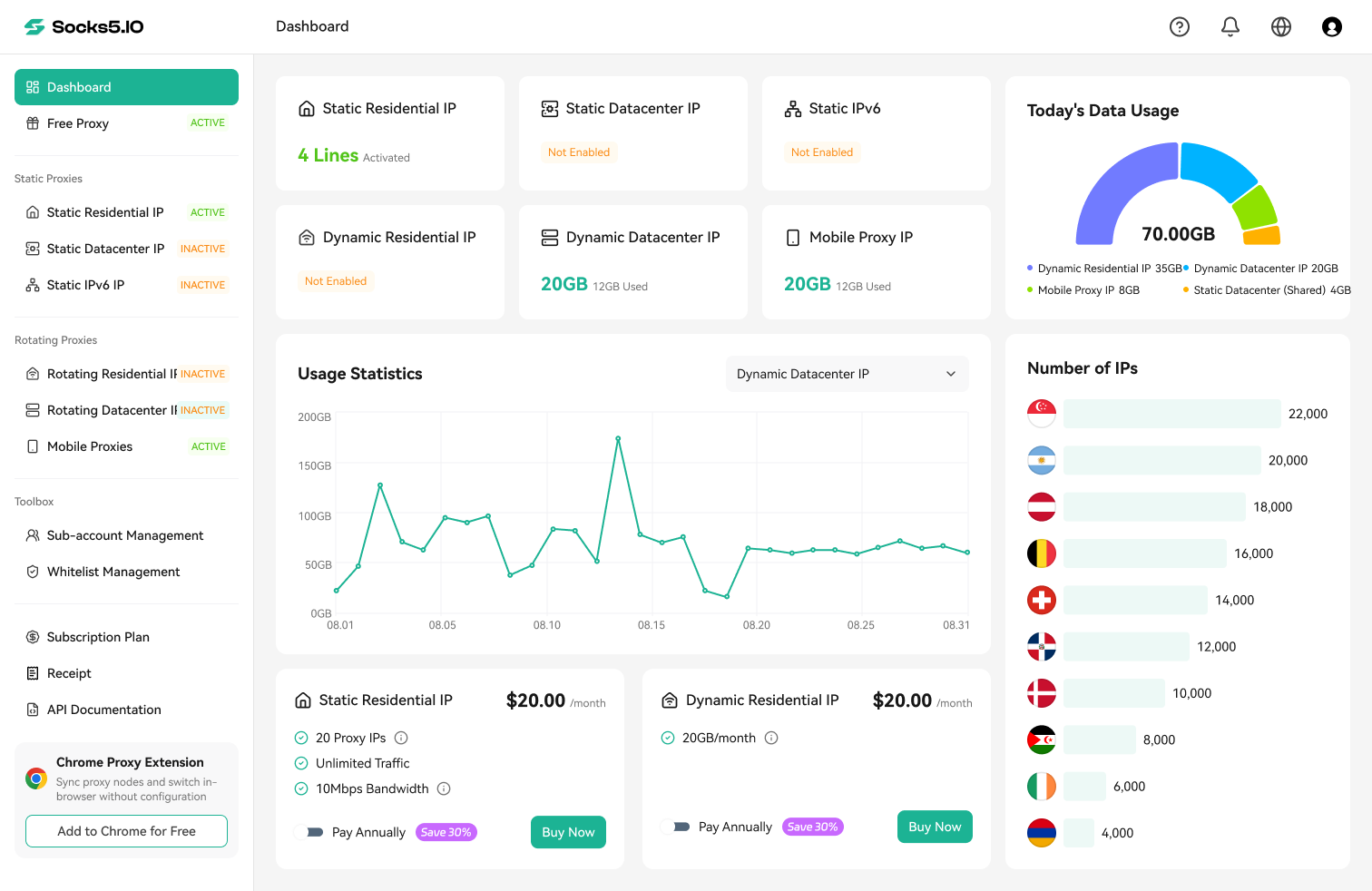
The historical static screenshot totals $45 for 10 Dedicated ISP (Native) IPs with unlimited data transfer at 10Mbps. Using its displayed regular pack price gives $70. The public site now describes per-IP billing without traffic fees; obtain the current speed and add-on configuration before budgeting a static order. Unlimited data transfer does not mean unlimited connection speed. Likewise, the screenshot’s $0.70/IP tier requires 10,000 IPs, rather than a small entry purchase.
2. Decodo
Decodo is a candidate for small mobile purchases and dedicated ISP access. Decodo’s dedicated ISP plans list $3.33/IP for 3 IPs, $2.90/IP for 10 and $2.50/IP for 200, billed monthly plus VAT. Its mobile pricing shows a 50% promotion: $3.75/GB for 2 GB, $150 for 50 GB and $2.75/GB for 100 GB. Ten dedicated ISP IPs plus the 50 GB mobile bundle total $179 before VAT.
The mobile PAYG card lists $4/GB, while the same page’s FAQ still quotes $8/GB. The FAQ also says PAYG uses a prepaid wallet and cannot run concurrently with a monthly subscription. Confirm the applicable rate and wallet funding requirement before choosing it for a small purchase; the promotional card alone does not establish future renewal pricing.
3. Webshare
Webshare offers a low-cost shared fixed-IP entry option. Its static residential pricing lists 20 ISP proxies for $6/month. The purchase link in Webshare’s pricing table presets shared ISP access and 250 GB; the product page describes HTTP and SOCKS5 support. The broader “up to unlimited” bandwidth claim is subject to fair usage and does not make every entry configuration unlimited.
For exclusive IP access, its separate dedicated static residential plans start at 20 IPs for $42/month. Compare that purchase with other dedicated ISP plans; use the $6 shared option only when sharing fits your requirements. The site states that subscriptions auto-renew by default. Final bandwidth and other selected options should match the quote at checkout.
4. IPRoyal
IPRoyal is worth comparing when you need dedicated mobile access rather than a traffic pool. Its mobile price table lists dedicated rental from $10.11 for 24 hours or $130 for 30 days. The longer-term options show monthly rates from $123.50 with a 60-day term and $117 with a 90-day term. Compare the full subscription commitment, not just the displayed monthly rate.
Rotating mobile traffic is a separate product: $6.80/GB at 2 GB, $5.60/GB at 50 GB and $5.20/GB at 100 GB. The mobile product page describes dedicated traffic as unlimited in one section but states a 30 GB daily limit per proxy in its FAQ. Get the applicable allowance and location confirmed before selecting the rental. Dedicated access does not guarantee an unchanging carrier IP or the same targeting flexibility as a rotating pool.
For fixed IPs, IPRoyal’s 30-day ISP plans start at $2.70 per proxy. Ten IPs would be $27 if that starting rate applies to your selected quantity and location.
5. SOAX

SOAX is a candidate for authorized location research across residential and mobile networks. Its pricing page lists Builder at $200/month before tax, including 200 credits, with Tier 1 usage at $3/GB. One credit generally represents about $1 of usage. On that basis, 50 GB uses approximately 150 credits and fits within the Builder plan; the included balance represents about 66.7 GB at that rate. Scale adds ZIP and ASN targeting at $1,500/month.
Monthly-plan credits expire 60 days after being added. SOAX counts traffic in both directions, including partial responses, retries and interrupted connections, so budget for total transferred data. Rates depend on the exit country’s geo tier. The reviewed page does not list a fixed-IP rental, making SOAX an alternative for the location-research workload rather than a substitute for 10 dedicated fixed IPs.
What do 10 fixed IPs cost, with optional mobile traffic?
Start with fixed-IP rental if your task needs consistent routing. Fifty GB of carrier-network traffic is a separate, optional testing workload; managing 10 accounts does not itself require either 10 proxies or that mobile traffic. It separates shared and dedicated entry purchases and identifies starting-price assumptions.
| Provider | Fixed-IP purchase for a 10-IP requirement | Optional 50 GB mobile traffic bundle | Combined purchase |
|---|---|---|---|
| Socks5.IO | Obtain a current quote for 10 dedicated ISP IPs and the required speed | $135 = 50 × $2.70, valid 30 days | Current fixed-IP quote + $135 |
| Decodo | $29 plus VAT (10 ISP IPs at $2.90) | $150 plus VAT (50 GB at $3, 50% promotion) | $179 plus VAT |
| Webshare | Shared: $6 for 20 IPs; dedicated: $42 for 20 IPs | No mobile product listed on the reviewed page | Fixed IPs only |
| IPRoyal | From $27 if the $2.70/IP starting rate applies to 10 IPs and the selected location | $280 (50 GB at $5.60) | From $307 under that fixed-IP assumption |
| SOAX | No fixed-IP rental listed | Builder: $200/month before tax; 50 GB Tier 1 usage consumes about 150 of its 200 included credits | Mobile workload only |
For a fixed-IP workload, compare Webshare’s $6 shared entry separately from dedicated ISP offers. Combining that shared entry with Socks5.IO’s $135 mobile bundle gives a $141 listed subtotal; using Webshare’s $42 dedicated entry gives $177. Both buy 20 fixed IPs, while Decodo’s $179 before-VAT combination buys 10 dedicated IPs and 50 GB of mobile traffic.
Also compare IPRoyal’s dedicated mobile rental from $130 for 30 days if one rented connection fits the task. It is a separate option from its $280 rotating-traffic bundle, with allowance and location conditions to resolve. Do not convert it into an equivalent per-GB pool price. Decodo and SOAX explicitly exclude applicable taxes; final checkout totals may be higher than the quoted subtotals.
Before paying, compare traffic expiry, renewal prices, failed-request and retry billing, the required exit country, and whether Instagram is allowed on the exact plan. A useful budget is the amount you must purchase, not just the lowest advertised unit price.
What to check before setting up Instagram proxies
Choose the client and routing method before buying traffic. A browser’s proxy support does not establish support in the Instagram app, and support for HTTP proxies does not imply support for SOCKS5 with username/password authentication. Confirm four things on the exact product: Instagram access is permitted, the required country is available, the client accepts its protocol and authentication, and the session lasts long enough for the task.
Static residential IPs for account logins
For authorized account management that needs separate network routing, assign a fixed endpoint to each relevant browser profile or device and document the assignment. Separate proxies are an operational choice, not a universal Instagram requirement: multiple legitimate accounts can share a home or office connection. Copy the protocol, host, port and authentication values from the selected product’s dashboard, and confirm renewal and replacement terms if retaining the same IP matters.
Sticky sessions for mobile and rotating residential IPs

The screenshot shows a 10-minute sticky-session selection, not a measured guarantee that the exit will remain available for that period. For rotating residential access, the residential proxy session control documentation is the relevant reference for rotation and persistence settings. Generate the endpoint in your dashboard rather than copying example usernames from another product.
Check the mobile product’s settings separately. Before a longer task, confirm the maximum session duration, idle timeout and what happens if the upstream connection drops. A sticky session may cover a short location check, but an IP change during a longer task can still occur. Do not assume residential and mobile products use identical parameters or limits.
Check the connection before you log in
First confirm that the client can reach a neutral IP-checking page and that its exit address and country match the intended route. Repeat the check across the time span your task needs. Then verify Instagram access in the actual browser or app; a successful IP check alone does not establish Instagram compatibility.
Check DNS and WebRTC separately where relevant. DNS resolution outside the proxy may expose queries to the local resolver, while WebRTC can expose additional network addresses depending on the browser and configuration. Neither is fully tested by checking the page’s visible exit IP. If a connection fails, distinguish proxy authentication errors and timeouts from Instagram access restrictions or rate limits; repeated retries do not resolve every cause.
For a browser-specific check, see how to check for a WebRTC leak.
What Instagram proxies do not change
Instagram proxies change the IP address Instagram sees. They do not change Instagram’s rules or what you agreed to when you created an account. Read the Instagram Terms of Use before buying proxies for any account work.
On data collection Instagram is explicit. Its robots.txt, checked on October 15, 2026, opens with the notice that “Collection of data on Instagram through automated means is prohibited” unless Instagram gives express written permission, and points to Meta’s Automated Data Collection Terms.
Businesses that need supported access to their own account data, comments or messages should first review the official Instagram Platform APIs and their permission requirements. These APIs generally do not require a proxy.
Two practical limits follow. A proxy changes only the network address, so it does nothing for an account whose activity breaks Instagram’s rules. And providers publish lists of targets restricted on their residential pools, so confirm that Instagram is allowed on the plan before you buy.

 Gideon Reed

 Valerie Quinn