
The best proxy for Facebook depends on what you need the connection to do. A static ISP proxy suits work that needs a consistent exit IP. Rotating residential proxies suit regional checks of ad landing pages and checkout flows. Mobile proxies suit checks that specifically need a mobile-carrier exit. For ordinary Page management, agency access or competitor-ad research, Meta’s own tools may cover the job without a proxy.
Quick picks: Socks5.IO offers a 50 GB mobile bundle for $135 with 30-day validity. Decodo lists a dedicated 10-IP monthly plan at $29 plus VAT. Webshare’s entry static residential order is $6 per month for 20 IPs, with the selected sharing tier important to the purchase. NodeMaven combines residential and mobile traffic in one plan and offers sticky sessions of up to 24 hours.
Which Facebook tasks need a proxy?
Start with the task rather than buying an IP for every account. A proxy changes the network address a website sees; it does not assign business permissions, change account ownership or resolve an account restriction.
| Your task | First choice | When a proxy adds value |
|---|---|---|
| Research competitors’ ads | Meta Ad Library | Usually unnecessary for browsing the library |
| Give an agency access to Pages or ad accounts | Business asset permissions | Access permissions solve this task; an IP address does not |
| Work through a consistent network exit | Static residential / ISP proxy | Useful when a fixed exit is part of the team’s network setup |
| Check ad landing pages, offers or checkout flows in another country | Rotating residential proxy | Provides an exit in the country being checked |
| Check redirects or pages from a mobile-carrier address | Mobile proxy | Useful when carrier-network identity affects the result |
The Meta Ad Library is the starting point for viewing competitors’ ads. Agencies should receive permissions to the relevant business assets rather than sharing someone’s personal login. Use proxies for authorized work; they do not override platform access rules.
Which proxy type fits your Facebook task?
IP type and session behavior answer different questions. The IP type determines the network the exit belongs to; the session setting determines whether subsequent requests keep using that address.
| Proxy type | Useful for | Session choice | Main limitation |
|---|---|---|---|
| Static residential / ISP | Work requiring a persistent exit IP | Keep the assigned IP for the rental period | Check whether the address is dedicated, the traffic allowance and the speed cap |
| Rotating residential | Regional landing-page and localized offer checks | Keep a sticky session for one flow, then rotate between checks | The IP can change when the session expires or the node becomes unavailable |
| Mobile | Mobile-carrier routing and landing-page checks | Keep the same country and session during a check | A carrier exit does not reproduce phone hardware, signal strength or a complete mobile connection |
| Datacenter | General site checks where a hosting-network exit is suitable | Fixed or rotating, depending on the job | Hosting-network addresses may be handled differently from residential or carrier addresses |
The choice between mobile proxies and residential proxies comes down to the exit network you need. Paying for mobile traffic adds little if the task only requires an address in a particular country.
Static ISP proxies for a consistent exit
A static ISP proxy provides a persistent address associated with an internet service provider. It may run on server infrastructure, so an ISP-registered address is not necessarily a connection through a household device.
Socks5.IO’s static residential proxies are sold per IP. The public starting price is $0.70 per IP, but that headline rate is not a ten-IP order quote. Compare the selected location, quantity, rental period and bandwidth before setting a budget.
A team can assign separate exits to people or workflows when that helps administration. A separate IP for each person is an operational choice, not a requirement for managing Facebook business assets. An IP assignment also does not replace each person’s access permissions.

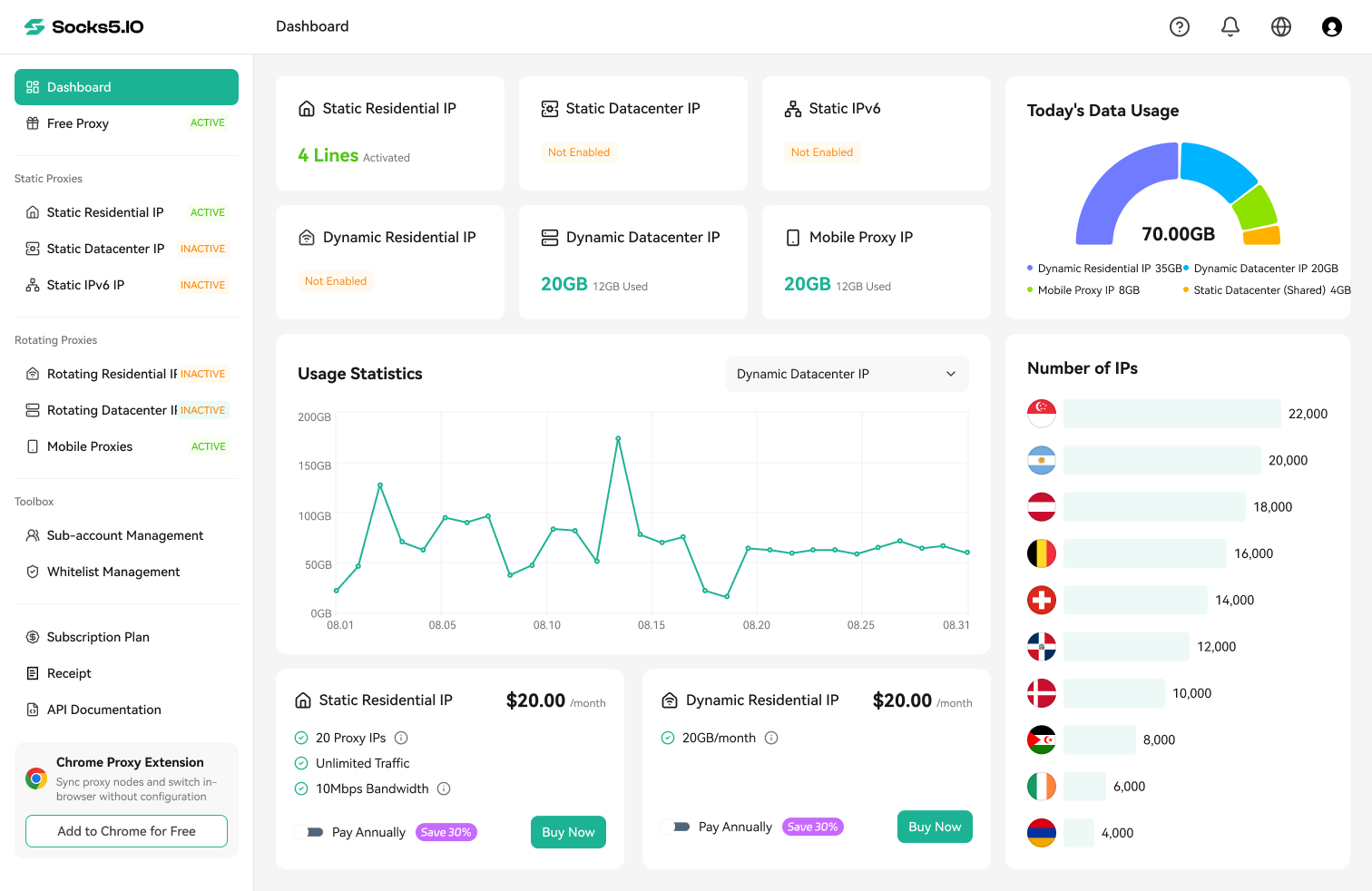
The dashboard also separates residential, datacenter and mobile traffic allowances for proxy sub-accounts. Those traffic controls help divide usage across a team; they should not be confused with assigning static IP orders or Facebook business permissions.

Rotating residential proxies for regional checks
Use a residential exit in the target country to check an ad destination, product offer or checkout flow. Keep the same IP while moving through that flow so a rotation does not change the apparent location halfway through it.
Socks5.IO’s rotating residential proxies cost $3.50/GB on pay-as-you-go pricing. Its residential session documentation describes a standard 10-minute sticky session, with reassignment after 60 seconds without requests. Keeping the address also depends on the proxy node remaining available.
Before interpreting the result, confirm the exit IP and country. Browser language, cookies, location permissions and account settings can also affect localized content. An address in the target country is one part of the check, rather than proof that every visitor there receives the same page.

Mobile proxies for carrier-exit checks
Mobile proxies route traffic through mobile-carrier IP addresses. They are useful for checking whether an ad link, redirect or mobile landing page behaves differently for that network category.
Socks5.IO’s mobile session documentation uses the USERNAME_mobile_ prefix and describes the same standard 10-minute session and 60-second inactivity threshold. Node availability still affects continuity. For an app check, confirm that the app’s traffic actually uses the proxy; a browser’s proxy setting does not automatically cover other apps.
A mobile exit helps check routing and network identity. Device rendering, operating-system behavior and radio-network performance require the appropriate devices and connection setup as well.
Best proxy providers for Facebook compared
The eight providers below cover different combinations of persistent IPs, rotating residential traffic and mobile exits. The table keeps minimum quantities and units visible so a bulk starting price does not look like a small-order quote.
Provider |
Static residential / ISP |
Mobile |
Rotating residential |
Purchase detail to watch |
|---|---|---|---|---|
Socks5.IO |
From $0.70/IP |
$5.50/GB pay as you go; 50 GB at $2.70/GB |
$3.50/GB pay as you go |
The 50 GB mobile bundle is valid for 30 days |
Rola IP |
From $5/IP |
$5/GB pay as you go; 50 GB at $3/GB |
$4/GB pay as you go |
The 50 GB mobile package is valid for 30 days |
Decodo |
Dedicated: 3 IPs for $9.99/month, plus VAT |
Promotional 2 GB plan: $7.50/month, plus VAT |
$4/GB pay as you go, plus VAT |
Ten dedicated IPs cost $29/month, plus VAT |
IPRoyal |
From $2.70/proxy for 30 days |
2 GB at $6.80/GB; dedicated mobile from $10.11/day |
1 GB at $7.35 pay as you go |
Residential subscriptions have different rates from pay as you go |
Webshare |
20-IP entry order: $6/month |
— |
Promotional 1 GB plan: $3.50/month |
Confirm shared, private or dedicated allocation for the selected static plan |
NodeMaven |
From $2.33/IP/30 days |
Included in residential/mobile traffic plans |
Monthly plans advertised from $2.20/GB |
The ISP headline rate is a starting price; quantity and country determine the order |
Proxy-Seller |
From $0.98/IP |
From $10/IP |
Entry traffic rate: $3.50/GB, valid 30 days |
Per-IP prices depend on location, quantity and rental period |
Proxy-Cheap |
Basic: from $2.71/month; up to 3 users share an IP; 1 GB included |
Rotating mobile from $5.99/GB |
Promotional starting rate: $0.78/GB |
Rotating residential orders start at 3 GB; the starting rate is not a 1 GB order |
A dash means no mobile plan is included in this comparison. Promotional figures are the prices displayed on the relevant product pages on October 27, 2026; they should not be treated as permanent renewal rates.
What does a fixed-IP order actually cost?
For a fixed-IP purchase, the number of addresses is only one part of the bill. Sharing, bandwidth and the minimum order can matter more than the headline unit price.
| Published order example | Order cost | What the figure includes |
|---|---|---|
| Webshare entry static residential order | $6/month for 20 IPs | A 20-IP minimum; check the allocation tier and traffic settings before purchase |
| Decodo dedicated ISP order | $29/month for 10 IPs, plus VAT | A stated ten-IP dedicated monthly plan |
| Proxy-Cheap Basic static plan | From $2.71/month | An IP shared by up to 3 users, with 1 GB of bandwidth |
These examples serve different needs. Webshare has a low entry order total, Decodo publishes a specific ten-IP dedicated price, and Proxy-Cheap’s Basic plan trades exclusive use for a lower starting bill. A bulk “from” rate at another provider is not enough to calculate an equivalent order.
What does 50 GB of mobile traffic cost?
A fixed traffic amount makes mobile pricing easier to compare. The following figures use each provider’s published 50 GB option, rather than multiplying a smaller package’s rate.
| Provider | Published 50 GB rate | Package total | Plan condition |
|---|---|---|---|
| Socks5.IO | $2.70/GB | $135 | Valid for 30 days |
| Rola IP | $3/GB | $150 | Valid for 30 days |
| Decodo | $3/GB at the displayed 50% promotion | $150 plus VAT | Billed monthly |
| IPRoyal | $5.60/GB | $280 | Rotating mobile package; separate from dedicated mobile rentals |
Socks5.IO has the lowest advertised package total among these four 50 GB options. That is a price comparison for this traffic amount, not a ranking of every provider’s mobile service. For regular regional checks, its mobile proxy pricing gives a concrete monthly traffic budget to compare with the pay-as-you-go option.
Socks5.IO: a defined mobile budget and multiple proxy types
Socks5.IO suits teams that need static ISP addresses, rotating residential traffic and mobile traffic under one provider. Its $135 mobile bundle covers 50 GB for 30 days, while pay-as-you-go mobile traffic costs $5.50/GB. The sub-account traffic controls are useful when different people or workflows need separate allowances.
The main planning limit is session duration: its residential and mobile sticky sessions have a standard 10-minute window and a 60-second inactivity threshold. For fixed-IP work, compare the complete static order rather than using the $0.70 headline price as a small-order rate.
Rola IP: mobile bundles alongside static and residential plans
Rola IP offers all three categories in the table. Its mobile pay-as-you-go rate is $5/GB, and the 50 GB package brings that to $3/GB, or $150 for 30 days. Residential traffic starts at $4/GB on pay as you go, while static residential addresses are advertised from $5/IP.
It is an alternative for teams that want to keep different exit types with one supplier. The static starting price still needs the location and rental conditions attached before it becomes an order budget.
Decodo: a clear dedicated ten-IP monthly option
Decodo is useful when a buyer wants a published dedicated ISP quantity and monthly total. Its three-IP plan costs $9.99 plus VAT, and ten dedicated IPs cost $29 plus VAT. This makes a small team’s fixed-IP order easier to budget than an unspecified volume starting rate.
Its mobile pricing currently includes a 50% promotion: 2 GB costs $7.50 plus VAT, and 50 GB costs $150 plus VAT. Promotional and regular rates differ, so the subscription terms matter for ongoing costs.
IPRoyal: short ISP rentals and two mobile buying models
IPRoyal offers ISP rental periods of 24 hours, 30 days, 60 days and 90 days. The 24-hour starting price is $1.80/proxy, while the 30-day starting price is $2.70/proxy.
Its mobile options split into traffic packages and dedicated rentals. The 2 GB rotating package costs $13.60 at $6.80/GB; dedicated mobile starts at $10.11/day. Choose between them by deciding whether the job needs a traffic allowance or a rented dedicated mobile endpoint.
Webshare: a low entry order for static addresses
Webshare’s static residential entry order lists 20 IPs for $6/month. Its rotating residential page also displays a promotional 1 GB monthly plan at $3.50.
For persistent work, the important choice is allocation. The site describes several static product tiers, including private and dedicated options, so the $6 entry total should not automatically be read as the price of 20 exclusive addresses. Check the selected tier, bandwidth and fair usage conditions together.
NodeMaven: residential and mobile traffic with longer sticky sessions
NodeMaven combines access to residential and mobile pools in its traffic plans. Its published features include sticky sessions of up to 24 hours, traffic rollover and country, city and ISP targeting. Those longer session options are worth comparing when a workflow needs more time on one exit.
The NodeMaven pricing page advertises monthly traffic rates from $2.20/GB and a $3.50 trial with 750 MB. Its ISP service is advertised from $2.33/IP for 30 days; the selected country and quantity determine the actual fixed-IP order.
Proxy-Seller: per-IP carrier and location choices
Proxy-Seller suits buyers who want to configure mobile or ISP orders by location and rental period. ISP prices start at $0.98/IP, and mobile prices start at $10/IP. Mobile orders offer dedicated and shared access choices, so allocation belongs in the comparison alongside the carrier.
For rotating residential traffic, the entry rate is $3.50/GB with 30-day validity. Keep that traffic purchase separate from a mobile IP rental: the units describe different products and cannot be compared as if they were interchangeable.
Proxy-Cheap: a low-cost shared static option
Proxy-Cheap’s Basic static plan starts at $2.71/month, with an IP shared by up to three users and 1 GB of bandwidth. It can suit light work where exclusive use is not necessary; a dedicated requirement calls for a different tier.
The site also advertises rotating mobile from $5.99/GB and a promotional rotating residential starting rate of $0.78/GB. Residential orders start at 3 GB, with volume pricing at larger quantities, so $0.78 should not be presented as the total cost of buying a single GB.
How to choose a Facebook proxy plan
Before ordering, work through four decisions:
- Decide whether you need a proxy. Asset permissions and the Ad Library solve different problems from a regional network exit. Start with the tool that matches the task.
- Choose the exit and session together. A persistent ISP address suits fixed-exit work. For a regional checkout flow, choose the right country and keep one session throughout the flow. Use mobile when the carrier exit itself matters.
- Compare complete orders. Include the minimum quantity, shared or dedicated allocation, traffic allowance, speed cap, validity period, tax and renewal conditions. Separate per-IP rentals from per-GB traffic.
- Check the connection in the intended client. Confirm the exit location and whether the browser or app sends the relevant traffic through it. Watch for unexpected IP changes, DNS behavior and location settings before drawing conclusions from a regional check.
For a small fixed-IP team, start with the exact number of dedicated addresses needed. For landing-page reviews, estimate traffic from page size, repeated loads and media downloads. For mobile work, compare a defined package such as 50 GB with the cost of the traffic you actually expect to use.


 Valerie Quinn

 Kevin Lin