
Before you buy proxies for brand monitoring, define the markets, public sources, session requirements and evidence your team needs. Then purchase the smallest suitable pilot and measure the cost of usable, market-validated observations, not just successful connections. Choose rotating access for independent checks, sticky sessions for short page sequences, and a fixed exit when longer continuity is required.
Proxies supply a network route. Your collection tool, product-matching rules and reviewers still have to identify meaningful findings. An unfamiliar seller, low price or changed landing page is a lead—not an automatic counterfeit determination.
Do you need proxies, a monitoring platform or an API?
Start with the capability you are missing. A proxy subscription will not build the rest of the monitoring system for you.
| What you need | Consider first | What to verify |
|---|---|---|
| A small number of public checks in one market | An ordinary approved browser workflow | Whether another exit adds useful information |
| Structured marketplace information with authorized access | An official API or licensed data source | Fields, permitted use, coverage and refresh schedule |
| Regional browsing with your existing collector | Proxy infrastructure | Target eligibility, location and client compatibility |
| Alerts, deduplication and reporting without maintaining a collector | A monitoring service | Included channels, evidence exports and review workflow |
| Investigation and enforcement decisions | Qualified internal reviewers or specialists | Rights ownership, supporting evidence and escalation process |
For the broader workflow, see the existing proxies for brand protection guide. This buying guide focuses on procurement and pilot acceptance rather than another provider ranking.
Define the observation before selecting the IP type
A monitoring brief should name the product or brand asset, the source and the decision the observation supports.
| Monitoring task | Capture | Avoid this shortcut |
|---|---|---|
| Suspected counterfeit listing | Listing ID, seller ID, product attributes, observed discrepancies and source URL | Declaring a product fake because its price is low |
| Impersonating website | Domain, claimed affiliation, relevant content and observed destination | Calling every similar domain infringement |
| Brand-asset reuse | Asset location, dated authorized reference and surrounding context | Treating a matching logo as proof of unauthorized use |
| Ad and landing-page review | Creative reference, market, observation time and redirect chain where available | Clicking paid ads repeatedly to generate evidence |
| Advertised-price monitoring | Exact variant, seller, currency, displayed conditions and dated policy reference | Comparing unlike bundles or treating an alert as an enforcement decision |
MAP—minimum advertised price—monitoring needs particular care. Keep advertised-price observations separate from transaction prices and have the appropriate team review policy scope before acting. The FTC’s manufacturer-requirements guidance notes that state and international approaches can differ. Public visibility alone does not settle access rights or justify automated enforcement.
How to choose the best proxies for brand protection and monitoring
The best fit is the least costly setup that meets your permitted workflow and evidence requirements. Use the following as pilot candidates, not a universal ranking.
| Proxy option | Candidate use | Main purchasing question |
|---|---|---|
| Datacenter | Approved public endpoints where infrastructure exits are acceptable | Does the actual target return usable content at the planned rate? |
| Rotating residential | Independent regional discovery checks | Can you obtain the required market without breaking a multi-page flow? |
| Sticky residential session | Search → listing → seller review | Does the documented session behavior cover the complete sequence? |
| Static residential / ISP | Longer continuity for a defined investigation | What is assigned, for how long, and under which replacement terms? |
| Mobile | A specifically documented carrier-network requirement | Does that requirement justify additional cost? |
At Socks5.IO, evaluate rotating residential proxies for a pool-based workflow and static residential proxies when an assigned address is part of the requirement. Confirm the purchased product’s actual controls rather than transferring parameters from one product to another.
Regional coverage is more than an IP-country label
Specify requested market, observed exit market, site country setting, language, currency and delivery destination separately. A German exit with a US shipping destination is not a clean German retail observation. Location databases and website behavior may also disagree, so record the source of each determination.
Start at country level unless a city is necessary to answer the business question. Narrow targeting may reduce available options. Ask whether your required location is available for the product and time window you need; a worldwide coverage claim is not proof of inventory in a particular city today.
Protocol choice: compatibility before marketing
HTTP(S) and SOCKS5 describe connection methods, not a quality ranking. RFC 1928 defines SOCKS5 commands including TCP connection handling and UDP association. That does not mean every provider, port or client implements every capability.
For normal HTTPS page review, choose a supported configuration and retain HTTPS certificate validation. Do not assume SOCKS5 itself encrypts the entire connection, resolves every DNS request remotely or is always faster. The SOCKS versus HTTP proxy comparison explains the trade-offs. Test the authentication and DNS behavior of your actual collector, not an unrelated tool.
A buying checklist you can send to the supplier
Ask for product-specific answers before committing to a large package:
- Eligibility: Are the named target sources and intended public-data uses permitted? Are any targets excluded or priced differently?
- Location: Which requested countries or cities are supported by this product? What happens when a requested location is unavailable?
- Session: Is the exit rotating, temporarily sticky or assigned? What events can change it, including inactivity and failures?
- Connection: Which protocols, authentication methods and client limitations apply? Is the needed DNS behavior supported?
- Billing: Is charging per GB, IP or another unit? What traffic is billable, including redirects, failed requests and media?
- Commitment: What are the minimum purchase, expiry, renewal, cancellation, overage and tax terms for your account?
- Service: What support and replacement processes apply? Distinguish a contractual service commitment from a homepage availability claim.
- Governance: What documentation is available about sourcing, acceptable use, security and credential handling?
Keep the quote, product name, date and relevant terms with the approval record. This article does not supply a current account-specific price, location inventory or success-rate benchmark.
Fill in a comparable quote before approving payment
Use the same scope and observation period for both offers. Blank or unclear terms mean not yet comparable, not zero cost.
| Quote field | Offer A: traffic-billed | Offer B: IP-billed |
|---|---|---|
| Supplier/product; quote date; currency | Fill from dated quote | Fill from dated quote |
| Authorized targets and markets | Attach confirmation | Attach confirmation |
| Unit price; included allowance | Per billable GB; included GB | Per IP per service period; IP count |
| Minimum payable commitment | Enter actual amount | Enter actual amount |
| Expiry, renewal, cancellation, overage, taxes | Enter actual terms | Enter actual terms |
| Failed traffic, redirects and media billed? | Record rule | Record rule and any fair-use limits |
| Pilot bytes / assigned IP-periods | Measure bytes using stated unit | Record actual purchased IP-periods |
| Proxy cost / software-storage cost / reviewer cost | Keep three separate amounts | Keep three separate amounts |
| Total payable and accepted observations | Calculate after pilot | Calculate after pilot |
| Total cost per accepted observation | Total ÷ accepted count | Total ÷ accepted count |
Do not compare a per-GB headline with a per-IP headline. Apply the supplier’s actual invoice rules, minimums and expiry to the same workload, then add software and review costs. If the accepted count is zero, report the unit cost as undefined and investigate; do not divide by zero or call the pilot economical.

Estimate the workload and the total pilot cost
Calculate observations first, then estimate requests and bytes. Do not equate one URL with one browser request: scripts, images, redirects and retries add traffic.
Planned observations = products × sources × markets × checks per period.
Traffic estimate = observations × average billable bytes per observation, with a separately documented retry allowance. Use the provider’s unit definition and pilot measurements, not an assumption that every page has the same size.
For example, a fictional accessories brand checks 20 products on two permitted public sources across two markets twice daily. That is 160 planned observations per day. If each requires three pages, it creates 480 page visits before assets or retries. These are planning inputs, not measured Socks5.IO results or recommended request rates.
For a traffic-billed plan, apply the current quoted rate and minimum commitment to estimated billable traffic. For an IP-billed plan, include the assigned addresses, service period and applicable limits. Add collection software, storage and human review costs in both cases.
Pilot cost per usable observation = total pilot cost ÷ accepted observations.
Define acceptance before running the pilot: the right product, market, source, timestamp and required fields must be present. An HTTP 200 response containing a consent page or challenge should not count as a valid product observation.
How to set up a small Socks5.IO monitoring pilot
1. Fix one product, client and pilot scope
This walkthrough uses Socks5.IO Rotating Residential IP, username/password authentication, an HTTP endpoint, a country-targeted sticky session and RoxyBrowser for manual review. It does not cover another proxy product or an automated collector. Prerequisites are an approved target list, an active purchased product, console access, an installed RoxyBrowser client and authority to perform the checks. RoxyBrowser’s subscription or trial conditions are separate from the proxy order.
Before purchase, complete the quote table and name the reviewer. For a two-market pilot, copy this record and replace the illustrative limits with approved ones:
| Scope field | Illustrative acceptance record—not a measured result |
|---|---|
| Source / markets / sample | One permitted storefront; US and Germany; 20 planned observations per market |
| Product | One exact SKU, variant and pack size; mandatory fields agreed in advance |
| Client / protocol / authentication | RoxyBrowser; HTTP; proxy sub-account credentials |
| Session | Sticky for one listing-to-seller sequence; verify actual documented expiry before use |
| Market context | Exit country, storefront market, displayed currency and delivery destination recorded separately |
| Traffic and review budgets | Fill approved billable-GB cap and reviewer-minute cap before purchase |
| Contract minimum | Fill from actual quote, including expiry and renewal |
| Immediate stop | Source denial/challenge, 429, unapproved target or budget cap reached |
| Approval owner | Named operator and separate reviewer where feasible |
2. Purchase the named product and create a proxy sub-account
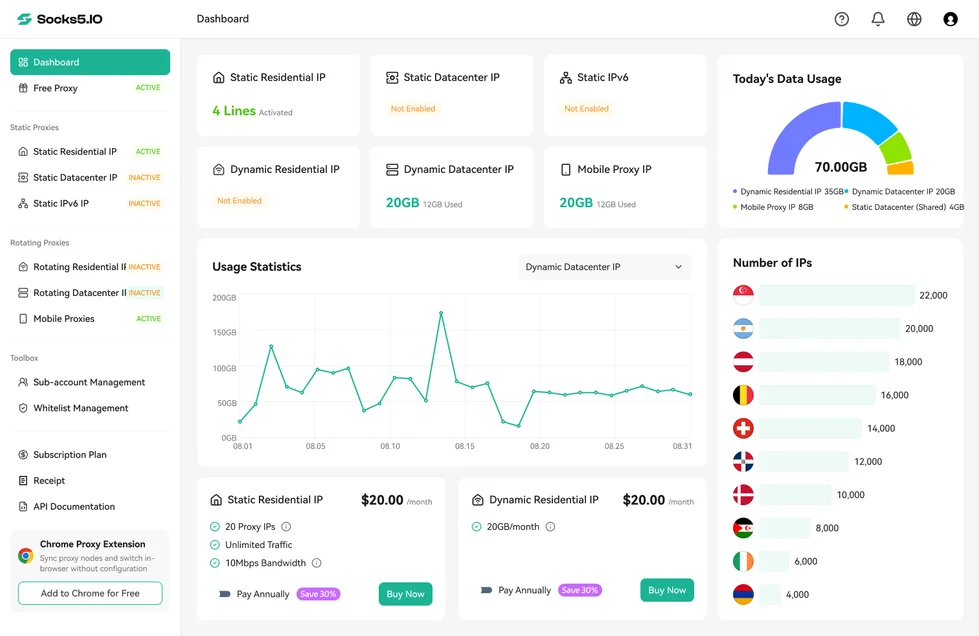
In your Socks5.IO console, select Rotating Residential IP → Buy, as shown by the published console layout. Verify the product, billing basis, account-specific allowance, minimum payment and expiry against the quote. If any term or required country is unresolved, pause before payment. After your authorized purchase, confirm that this product is enabled and the account has the required balance or allowance; do not infer activation merely from opening its page.
Open Sub-account Management → Create. Set a proxy account name and password, enable it, and apply the approved residential-traffic cap where available. Confirm the account. These are proxy credentials, not the dashboard password. The residential proxy setup guide documents this sequence.

3. Generate one country-targeted sticky endpoint
Open Rotating Residential IP → Proxy Setup → Account Access. Select the enabled sub-account, an appropriate Access Point, the intended Country/Region, and a Sticky Session option long enough for the approved sequence. Start with one generated endpoint. Choose HTTP for this walkthrough where the protocol selector is offered, then copy the corresponding current values. Do not invent a refresh URL or manually copy parameter suffixes from a screenshot.
The access point is the gateway you contact; it is not the requested exit country. For the US run choose the United States as Country/Region, not Random; regenerate a separate country-targeted endpoint for Germany later. Keep the generated username intact, including its location/session instructions. Confirm current session and inactivity behavior before relying on continuity.

4. Add the endpoint to one RoxyBrowser profile
Follow RoxyBrowser’s profile-creation instructions: choose Create Profile, name it brand-pilot-US, and keep ordinary system/browser defaults unless your approved task requires otherwise. In the Proxy section choose Add. Do not purchase a second proxy from the browser’s Proxy Store for this workflow.

Use this mapping in Add Proxy. The RoxyBrowser proxy documentation describes its fields and supported protocols.
| RoxyBrowser field | Value for this walkthrough |
|---|---|
| Proxy type | IPv4 or IPv6 matching the supplied endpoint; do not copy the example’s selection |
| Protocol | HTTP, matching the endpoint generated for this run |
| Host / Port | Separate current host and port from Socks5.IO Proxy Setup |
| Username | Complete generated proxy username, including location/session parameters |
| Password | Proxy sub-account password, not console login |
| Refresh URL | Only a documented provider-supplied value if required; otherwise do not invent one |

Click Test Proxy and inspect the reported connection and country. A failed test means stop and classify the error below. If it matches the requested country, Save, then Create Profile. Open that saved profile from Profiles → Open. Keep credentials private and do not import unrelated account cookies for a public-page check.

5. Verify inside the opened profile, then visit the target
The profile dashboard provides IP information and a Test Proxy action. Also open a permitted IP-check service in that same browser window and record UTC time, reported country and a masked exit reference. A passing manager test alone does not prove the opened profile or a separate collector uses the same route.

Open one approved target in that window. Confirm the exact variant, storefront market, currency and destination before recording the observation. Recheck the exit after the listing-to-seller sequence. If the sticky window expires, the exit changes unexpectedly or the target rejects access, mark that sequence invalid and follow the stop/reconfigure rule. Do not label browser connectivity as completed brand monitoring.
6. Preserve the observation and hand it to review
| Field | What to save |
|---|---|
| Observation identity | Unique run ID and UTC timestamp |
| Source | URL and stable listing, seller or domain identifier |
| Market context | Requested market, observed exit, site locale and delivery destination |
| Product match | Model, variant, quantity, bundle and required attributes |
| Evidence | Relevant screenshot/content reference, displayed terms and discrepancies |
| Collection outcome | Connection, access status, parse result and missing fields |
| Review state | Candidate / needs review / accepted observation / excluded |
Keep sensitive query strings or authenticated URLs in restricted evidence storage, not public reports. Mask credentials and unnecessary personal information. Preserve original observations separately from reviewer conclusions; a later correction should not silently replace the original record.
Worked evidence example: one SKU, two markets
The following records are illustrative and fictional. They demonstrate evidence handling, not real sellers or an infringement finding. The permitted demonstration storefront supports USD display for both markets; use one-pack CASE-C1-BLACK, the same seller/listing ID L-042, and domestic standard delivery. Record the actual destination separately: the shipping service level is consistent, but US and German destinations are not an identical retail context.
| Record | Requested / observed exit | Storefront / destination / currency | Product and outcome |
|---|---|---|---|
| I-US-01 | US / US | US / New York / USD | One-pack; required fields present; accepted US observation |
| I-DE-01 | DE / DE | US / New York / USD | Correct exit but wrong retail context; quarantine, not a German observation |
| I-DE-02 | DE / DE | DE / Berlin / USD | Two-pack returned; variant mismatch; needs review, not price-comparable |
| I-DE-03 | DE / DE | DE / Berlin / USD | One-pack; fields present; accepted German observation |
Keep the records under the same investigation ID, but do not pool prices merely because the listing ID matches. Compare only within the approved market/destination/variant/price-condition group. A cross-market comparison requires an explicit normalization method; do not silently equate different taxes, shipping amounts or currency conversions.
The operator saves each original page reference and discrepancy. A reviewer checks the dated product specification, seller authorization and asset licence before deciding whether to escalate. If the image’s licence or authorization is unresolved, record needs review; do not submit an infringement claim automatically. Corrections create a new observation linked to the original, with reviewer identity, reason and decision time preserved.

Decide whether to expand, reconfigure or stop
Use one row per source × requested market × configuration version. Never improve the reported rate by deleting failures or overwriting the first attempt after a retry.
| Pilot metric | Fill from observed records |
|---|---|
| Planned / attempted observations | Both counts; a multi-page sequence counts as one observation |
| Exit checks / matching exits | Country matches ÷ completed exit checks; also record failed checks |
| Attempted / validated retail contexts | Correct site market + destination + currency ÷ attempted observations |
| Accepted observations | Complete, correctly matched records ÷ attempted observations |
| Session continuity | Unbroken eligible sequences ÷ sequences requiring continuity |
| Billable traffic / proxy cost | Actual billed unit and charge, not only saved HTML size |
| Review time / cost | Minutes × approved hourly cost ÷ 60 |
| Total / cost per accepted observation | Proxy + software/storage + review; undefined if accepted count is zero |
For the illustrative scope above, a procurement team might require at least 20 attempts per source/market, 90% accepted observations, 100% correct context among accepted records and no unexplained session break, all within approved traffic and reviewer budgets. These are sample acceptance limits, not measured performance, universal benchmarks or a statistical reliability guarantee. Write your own limits before payment; a missing budget or threshold blocks expansion.
| Failure branch | Check | Decision |
|---|---|---|
| 407 / authentication error | Proxy credentials, enabled status, protocol, host and port | Pause; correct configuration, make one controlled retest, preserve original failure |
| 403 / access denial or challenge | Source permission and response, not just exit country | Stop that source segment; seek an approved access method |
| 429 / rate limit | Published policy and any Retry-After guidance | Pause affected segment; resume only when authorized and allowed |
| DNS / timeout / unproxied client | Endpoint, local network, client route and same-window IP check | Reconfigure one variable; one controlled retest before collecting more |
| Correct exit, wrong site market/currency | Storefront locale and delivery settings | Quarantine observation; correct context and create a new record |
| Missing product field / changed bundle | Exact variant and required evidence | Exclude from comparison; manual review if useful |
| Budget cap or unknown eligibility | Approved contract/traffic/review limits | Stop; no automatic top-up or wider collection |
HTTP authentication/denial semantics are defined in RFC 9110; RFC 6585 defines 429 and its possible Retry-After information. These branches are diagnostic decisions, not claims that every client displays the same error wording.
Expand only after every required source/market passes its acceptance row and reviewer approval is recorded. Reconfigure and repeat the same bounded sample when a correctable route/context problem caused failure. Stop or choose an API/managed service if eligibility, evidence completeness or cost cannot meet the brief.
Conclusion
Buy proxies for brand monitoring against a written brief, not a pool-size claim. Verify target eligibility, regions, sessions, compatible clients and order terms, then judge a small pilot by usable evidence and total cost. Socks5.IO can supply candidate network infrastructure; your monitoring process must still validate observations and route uncertain findings to review.

 Gideon Reed


 Kevin Lin