
TL;DR
The difference between residential, datacenter, ISP and mobile proxies is mainly the network associated with the exit IP. Rotating residential proxies use consumer internet connections; datacenter proxies use hosting networks; ISP proxies commonly provide static ISP-registered addresses hosted on servers; mobile proxies use cellular carrier networks.
For developers, SEO analysts and QA teams, selection depends on target acceptance, location, session duration and cost per valid result. Test datacenter exits where suitable, compare residential exits for localized results, and consider ISP proxies when both a fixed IP and ISP attribution matter. Choose mobile exits when cellular-network or carrier behavior is part of the test.
This guide explains selection criteria and a testing method, rather than measured performance rankings.
What Are the Four Main Proxy Types?

Residential Proxies
Residential proxies route traffic through IP addresses associated with consumer internet connections. Here, “rotating residential” refers to pools whose exits can change between requests or sessions, subject to the provider’s implementation.
For a provider’s description of the category, see Oxylabs’ residential proxy definition, which identifies residential addresses supplied by internet service providers (ISPs).
Their practical advantage is access to consumer-network perspectives across available locations. This can help with regional price research, search results and ad verification. Coverage must be checked for the locations you need: a large advertised pool does not establish that a particular city has usable exits.
Node availability and latency can vary. A sticky session requests the same exit for a limited period, but an offline node can interrupt continuity. Changing IPs does not inherently invalidate login cookies; it can disrupt applications that bind sessions to IP addresses or treat network changes as suspicious.
Datacenter Proxies

Datacenter proxies use addresses associated with hosting or cloud networks. Bright Data’s datacenter proxy definition describes addresses assigned to servers through which traffic is routed. Server infrastructure makes these proxies candidates for public-data collection, API testing and availability monitoring where the destination permits that traffic.
Available products may offer rotating pools or fixed addresses, with shared or dedicated access. Compare bandwidth, concurrency and response times under your workload rather than assuming every datacenter plan is faster.
Some destinations classify hosting ranges differently from consumer networks. That classification can affect access, but it does not establish the reputation of an individual address or guarantee a particular result.
ISP Proxies and Dedicated ISP Proxies

ISP proxies commonly use ISP-registered addresses hosted on server infrastructure. Providers often market them as static residential proxies, so the terms overlap. They are usually compared with rotating residential pools because they offer a different model for IP persistence and allocation.
For example, Bright Data’s ISP proxy description explains that its addresses are bought or leased from ISPs and hosted on servers rather than used in private homes.
An ISP address can be useful when a workflow needs a fixed exit and the destination’s treatment of that network is relevant. However, a static datacenter address may satisfy a fixed-IP requirement just as well.
“Dedicated” means an address is reserved for a customer under the service terms. It does not mean the address has no prior history, will never change, or cannot be restricted. Verify allocation duration, replacement rules and whether exclusivity applies to the actual exit IP.
Mobile Proxies

Mobile proxies route traffic through cellular networks, such as 4G or 5G networks. Oxylabs’ mobile proxy explanation describes traffic routed through cellular nodes using carrier-assigned addresses. These proxies are relevant when the research question concerns a cellular exit or carrier-related behavior.
Carrier-grade network address translation (CGNAT) allows subscribers to share public IPv4 addresses. It is not exclusive to mobile networks. RFC 6598: Shared Address Space for Carrier-Grade NAT describes address space used in these deployments.
A mobile proxy does not reproduce a phone, operating system, app installation or radio connection. Its carrier label alone cannot establish an end user’s full network experience.
Quick Comparison of Residential, Datacenter, ISP and Mobile Proxies
Dimension |
Rotating residential |
Datacenter |
ISP / static residential |
Mobile |
|---|---|---|---|---|
Exit network |
Consumer internet connection |
Hosting or cloud network |
ISP-associated address, commonly server-hosted |
Cellular carrier network |
IP persistence |
Rotation or limited sticky sessions |
Fixed or rotating, depending on product |
Commonly a longer-lived fixed address |
Depends on carrier and session policy |
Useful starting point |
Regional consumer-network sampling |
Permitted bulk collection and monitoring |
Fixed exit associated with an ISP |
Carrier-dependent tests |
Performance variables |
Exit availability, routing and load |
Hosting location, routing and capacity |
Routing, capacity and allocation |
Carrier routing, load and exit availability |
Location choice |
Available pool and targeting options |
Available hosting locations |
Purchasable address inventory |
Available carriers and locations |
Billing to check |
Traffic, expiry and retry charges |
IP, traffic, port or capacity charges |
IP allocation, bandwidth and fair-use terms |
Traffic, port, time or other plan limits |
Main limitation |
Exit continuity can vary |
Hosting classification may affect results |
Fixed inventory and concentrated IP history |
Does not simulate the complete mobile environment |
These are common product patterns. The supplier references above explain category terminology; they are not independent performance comparisons. Evaluate the exit network, how long the IP stays fixed, supported protocols and whether the address is shared as separate properties.
Residential vs Datacenter Proxies for Web Scraping
Start with a datacenter sample if the destination allows the intended collection and its location options fit the task. Compare rotating residential proxies when the results require a consumer-network perspective or when a controlled test shows a meaningful difference in valid data.

A successful connection is not necessarily a useful response. An HTTP 200 page may contain a challenge, an empty template or the wrong region’s content. Define success using the fields your application needs.
For example, a product-price record might require the product identifier, price, currency, stock status and expected delivery region. Use the same validity rule for both proxy types. A response missing the price should not count as successful merely because it arrived quickly.
Do not treat every failure as an IP problem. A 429 response indicates rate limiting; reduce the request rate and respect applicable retry instructions. A 403 can reflect authorization or access policy. Investigate before changing networks, and do not rotate addresses to disregard a destination’s limits.
ISP Proxies vs Rotating Residential Proxies
Choose between persistence and sampling breadth based on the workflow.
For a multi-step authorized test, a longer-lived exit can simplify session management. Rotating residential pools may be useful for independent regional samples, provided the requested locations are available. Sticky sessions can support shorter flows, but their requested lifetime is not a guarantee that the exit stays online. For a practical example, see how sneaker bot proxies balance rotating IPs for stock checks with stable addresses for queues and checkout.
Compare the whole plan. Per-IP billing does not necessarily include unlimited bandwidth, and an “unlimited” offer may still have concurrency, speed or fair-use limits. For traffic-based plans, check expiry and which requests count toward usage.
When comparing static residential proxies, check whether the destination’s treatment of ISP addresses benefits the workflow. If the only requirement is a fixed address, include static datacenter proxies in the comparison.
ISP Proxies vs Datacenter Proxies
Both can use server infrastructure and provide fixed exits. The relevant distinction is whether the address is associated with an ISP or a hosting network, and how your destination treats it, alongside actual performance and price.
An autonomous system number (ASN) identifies a network operating under a routing policy. ASN ownership is useful context, but a broad ISP or hosting label is not proof of an address’s physical location, household use or reputation. Classification services and destinations can disagree.
Compare dedicated static products with equivalent regions, request rates and allocation terms. If both deliver the required data and session continuity, select using measured cost and operational needs. If ISP exits perform better, record the target and conditions rather than generalizing the result to every website.
Do Mobile Apps and Mobile Ads Always Require Mobile Proxies?
No. Mobile apps, ads and search results can be accessed over Wi-Fi as well as cellular networks. Use a mobile exit when cellular-network or carrier-related behavior is the variable you need to investigate.
For a controlled ad comparison, keep the device, browser or app version, language, account state and test timing as consistent as possible. Change the network condition deliberately. Ad delivery varies for other reasons, so repeat observations before attributing a difference to the proxy.
Check that the application actually routes the relevant traffic through the proxy. Some traffic may use unsupported protocols or bypass the configured client. For tests of radio conditions, roaming or end-to-end mobile latency, an actual device on the relevant network may be necessary.
Which Proxy Fits Your Business Scenario?
| Scenario | Starting point | What should change the decision? |
|---|---|---|
| Permitted public web collection | Datacenter sample | Required geography or a measured consumer-network difference |
| E-commerce price and inventory research | Residential sample for regional views | Preserve the exit during cart or delivery-region flows; compare static options for longer continuity |
| SEO and search engine results page (SERP) monitoring | Exit in the required region | Control language, device settings, cookies and search parameters; test mobile exits for carrier-specific questions |
| Ad verification | Exit matching the audience’s network and region | Distinguish Wi-Fi, cellular and device variables |
| Authorized account or payment QA | Dedicated static datacenter or ISP candidate | Choose ISP when the destination treats ISP addresses differently; choose mobile when carrier behavior matters |
| Uptime monitoring | Datacenter probes | Add consumer or cellular probes when those network perspectives are part of the requirement |
For travel or local-content research, hold currency, language, dates and session state constant while comparing regions. A different price alone does not prove IP-based personalization.
For market research and AI data collection, confirm source licensing, permitted access and privacy obligations before selecting infrastructure. A proxy does not grant permission to collect, retain or republish data.
How Do Rotation, Sticky Sessions and Dedicated IPs Differ?
Rotation describes how an exit changes. A sticky session requests continuity for a period. Static describes an address intended to remain fixed for the allocation period. Dedicated describes exclusivity. These properties are related operationally but are not interchangeable. For the distinction between a fixed local address, an ISP-issued public address, and a proxy exit, see our guide to what a static IP address is.
- Rotating exits: useful for independent regional samples within the destination’s permitted request limits.
- Sticky sessions: useful when a short workflow needs the same exit; confirm the time to live (TTL) and behavior if the node disconnects.
- Static exits: useful for longer continuity or destination-side IP allowlisting; check reassignment and replacement terms.
- Dedicated allocation: useful when exclusive use of an exit matters; it does not erase historical reputation or ensure uninterrupted service.
A provider’s source-IP authentication allowlist is also different from a destination allowing your proxy’s exit IP. Check which meaning applies to the configuration.
Is SOCKS5 a Proxy Type or a Protocol?
SOCKS5 is a connection protocol, not an IP-source category. A residential, datacenter, ISP or mobile service may expose SOCKS5 or HTTP-based access, depending on the specific product.
RFC 1928: SOCKS Protocol Version 5 defines TCP connection handling, authentication negotiation and UDP association. A provider’s use of the SOCKS5 label does not establish that UDP relay is enabled or that a particular client supports it.
HTTP proxy access and HTTPS destination support also need careful interpretation: tunneling an HTTPS request does not by itself establish an encrypted connection to the proxy endpoint. Check the endpoint scheme, client behavior and product documentation.
Verify protocol, authentication, DNS resolution behavior and application compatibility for each product. Do not copy ports, credentials or session parameters from another proxy type.
How to Test Proxy Quality Before Buying More Capacity
Use a controlled pilot on targets you own or are authorized to access. The procedure below is a proposed evaluation method, not a report of tests performed for this article.
- Define a representative URL or workflow set, the intended regions and the required fields.
- Keep the client, parser, concurrency, timeout, retry policy and request settings comparable. Change only the network conditions being evaluated.
- Set an allowed request budget, backoff rules and stop conditions before starting.
- Run comparable samples across relevant time windows. Record the sample size, date, region, provider product and observed exit.
- Classify transport failures, authorization failures, rate limits, challenges, wrong-region responses and incomplete data separately.
- Compare valid results, session continuity, latency and cost together.
| Metric | How to report it |
|---|---|
| Valid-result rate | Valid completed tasks divided by attempted tasks; declare how retries are counted |
| Challenge and error rates | Share of responses in each category, including CAPTCHA, 403 and 429 |
| Location match | Whether observed content matches the task’s expected region |
| Latency | Median (P50) and 95th percentile (P95); state whether retries and failed tasks are included |
| Session continuity | Multi-step workflows completed with the required exit and application state |
| Cost per 1,000 valid records | Total attributable cost divided by valid records, multiplied by 1,000 |
An IP lookup database is a useful cross-check, but it is not sufficient evidence of a destination’s regional view. Record requested location, observed exit, content language, currency, delivery region and redirects where relevant. None of those fields alone proves physical location.
Avoid collecting credentials, session tokens or unnecessary personal data in diagnostic logs. Share only the information needed to explain the result.
Calculate Cost Without Counting the Same Traffic Twice
Use a consistent time window:
Cost per valid record = total attributable cost / valid records delivered.
Include proxy charges and relevant compute, parsing and review costs. If the proxy charge already includes retry traffic or unused prepaid traffic, do not add those amounts again. Explain how you allocate shared subscriptions and engineering costs.
If no valid records are delivered, the cost per valid record is undefined; report the failed evaluation instead. Do not assume mobile proxies are more successful or datacenter proxies are cheaper for every workload.
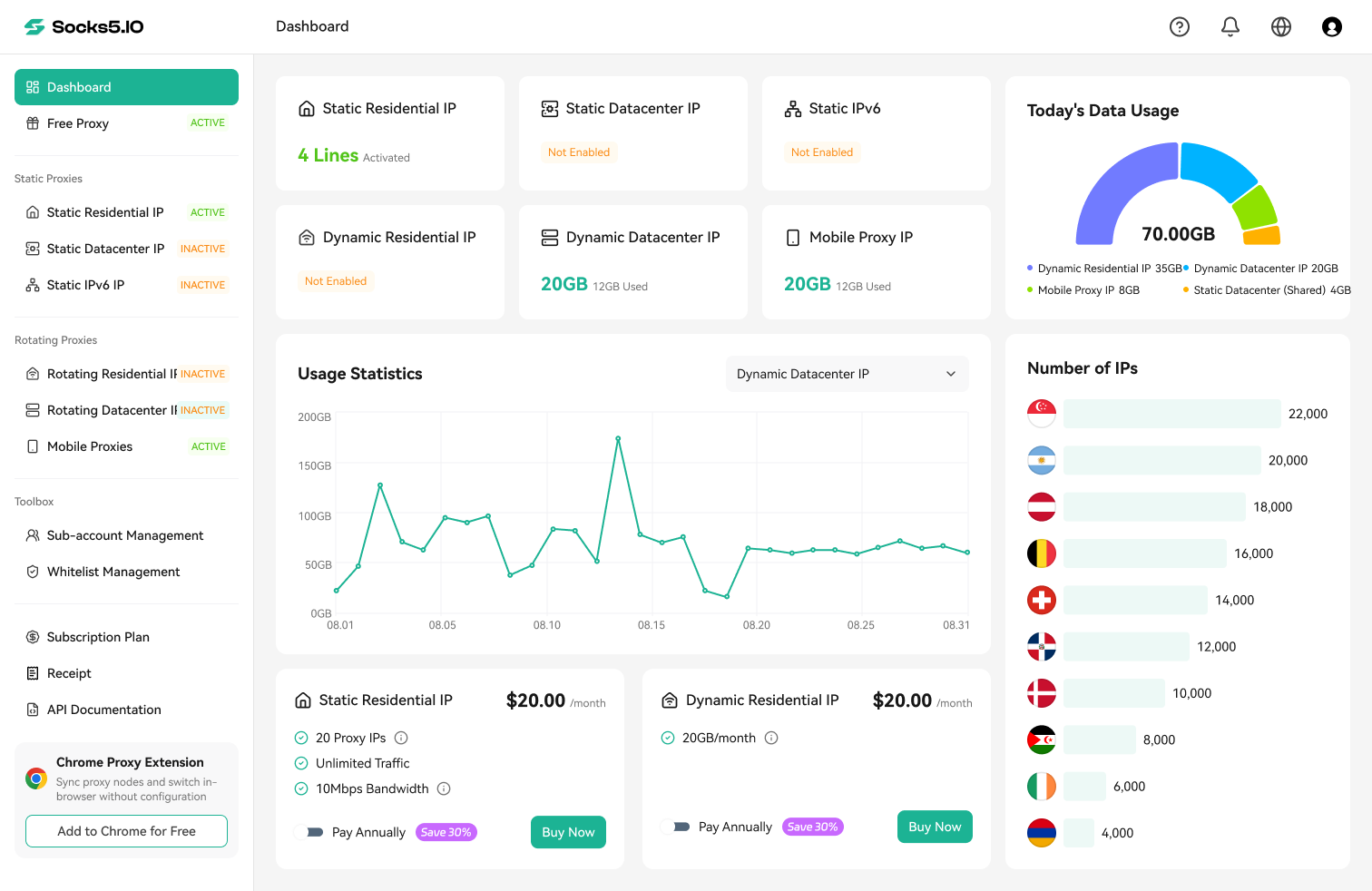
Evaluate Socks5.IO Products Against Your Requirements
Socks5.IO’s public product descriptions were reviewed on September 14, 2026. Use the checklist below to compare the relevant plan with your requirements before running a pilot.
| Product | Requirement to evaluate before choosing |
|---|---|
| Rotating residential proxies | Required locations, rotation behavior, sticky-session limits and traffic accounting |
| Static residential proxies | How long the IP is assigned to you, its ISP association, exclusive use and replacement terms |
| Rotating datacenter proxies | Permitted throughput, available regions and valid results on the target |
| Dedicated datacenter proxies | Fixed exit, allocation duration, exclusivity and capacity |
| Mobile proxies | Relevant cellular exits, available carrier options, supported traffic and session behavior |
Confirm the applicable plan and connection details, then run a small authorized pilot before increasing usage.
Choose Based on the Result You Need
Define the required region, network perspective, session duration and valid output before buying capacity. Compare suitable proxy types under equivalent conditions, then select the option that meets those requirements at an acceptable total cost. Recheck the decision when the target, workload or product terms change.

 Gideon Reed

 Valerie Quinn