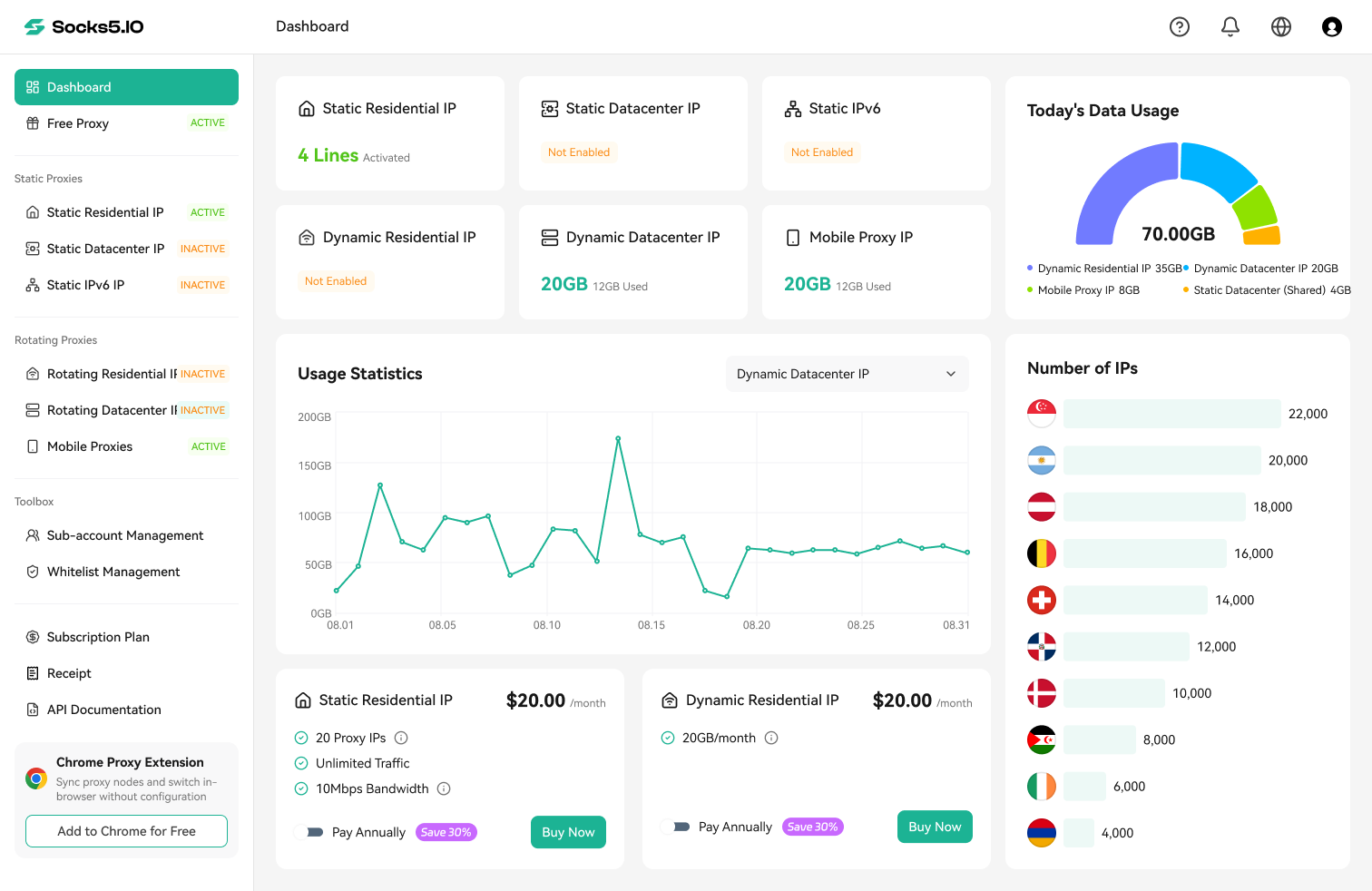

Quick answer: A TikTok unblock proxy changes the network exit of traffic sent through a configured client. First identify whether the problem is a blocked user, a network connection, regional availability, or a TikTok account decision. For an authorized browser test, obtain a Socks5.IO endpoint, enter its fields in a SOCKS5 capable browser profile, check the resulting exit inside that profile, and then open one public TikTok page. A proxy cannot reverse an account restriction.
This guide gives a documented desktop workflow. iOS and Android require a client that actually routes the TikTok app; a browser test alone does not establish that app route.
Jump to proxy selection, required fields, RoxyBrowser setup, route verification, or troubleshooting.
Why is TikTok blocked or unavailable?
Find where the failure starts before changing an IP address. If TikTok works on a permitted mobile connection but not one Wi-Fi network, inspect that network. If only one account has trouble across connections, review account status. If one device fails, check its app and device settings.
| What you observe | Likely layer | First check |
|---|---|---|
| TikTok works on another permitted connection but not school or office Wi-Fi | Managed-network rule, DNS policy, or firewall | Ask the network owner whether access is restricted |
| Public pages load but posting or comments do not work | Account or feature restriction | Review TikTok Account check and the relevant notice |
| A browser works but the native app does not | App routing, device controls, or cached state | Confirm that the app uses the intended route |
| The app is unavailable in the local store or region | Store policy, regional availability, or regulation | Check the current official store and TikTok notices |
| A post receives few views | Content, audience, eligibility, or account factors | Review analytics and any recommendation notice |
| An endpoint test succeeds but TikTok still fails | Browser scope, DNS, application behavior, or TikTok response | Inspect the result in the exact client used for TikTok |
Record TikTok’s exact message and the connection on which it appeared.
How to unblock on TikTok: a person or the service?
Searches for how to unblock on TikTok often mean removing a person from the account’s block list. That is an in-app relationship control. Open the current TikTok app’s privacy settings and look for Blocked accounts, or consult TikTok’s blocking help for your app version. Confirm that the account no longer appears on the blocked list. Menu labels can change, so the current app should govern the final tap sequence.
If TikTok has restricted a post or account, use its Account check guidance and the content violation and appeal guidance. A change of network exit does not resolve a platform decision. For a public-page connection failure, continue with the network checks below.

If your own notice provides Appeal, open that control, review the stated reason, and follow the instructions to explain why the decision should be reconsidered. Preserve the notification and any confirmation of submission. Check TikTok’s subsequent response for the outcome. If the page instead fails before any account notification appears, investigate the connection separately.
What does a proxy change?
A proxy changes the public exit for traffic the client sends to it. It does not change every device signal or guarantee that the native TikTok app follows a browser setting.
| Connection type | Traffic support | Client-to-proxy encryption | What to verify |
|---|---|---|---|
| Plain HTTP proxy, including CONNECT | Web requests; CONNECT can tunnel TCP where the client and proxy allow it | No outer TLS connection to the proxy; destination HTTPS is separate | CONNECT support, allowed ports, authentication, DNS handling |
| HTTPS proxy reached over TLS | HTTP proxy functions over a TLS connection to the proxy | Yes for the client-to-proxy hop; destination TLS is separate | Client support, certificate validation, actual endpoint protocol |
| SOCKS5 proxy | TCP; the protocol also defines UDP ASSOCIATE | The SOCKS5 label alone does not guarantee encryption | Authentication, application routing, DNS, actual UDP support |
| VPN | Traffic chosen by its full or split route configuration | Typically encrypted according to its protocol | Route scope, DNS, IPv6, provider trust |
HTTP CONNECT can establish a TCP tunnel, subject to proxy policy. Ordinary CONNECT does not relay UDP; CONNECT-UDP is a separate extension that requires implementation on both sides. SOCKS5’s specification includes UDP ASSOCIATE, but the purchased endpoint and client must support it in practice. Do not infer video performance or app coverage from a protocol label.
What proxy session should you choose for TikTok troubleshooting?
Choose the session behavior that matches your authorized test. Socks5.IO’s public product pages describe static residential, rotating residential, and mobile options. The dashboard and checkout, when accessible to the buyer, are the places to confirm current locations, billing, and credentials.
| Task | Option to evaluate | Question to answer before purchase |
|---|---|---|
| Repeated public-page checks from one consistent exit | Static residential | Will the assigned address stay fixed for the required rental period? |
| Independent public-page checks from supported locations | Rotating residential | Can a sticky session cover each comparison, or is rotation intentional? |
| A specific mobile-network QA requirement | Mobile | Is the needed carrier, location, and session behavior available on this order? |
The public mobile product page contains conflicting billing language. Confirm its billing unit and total in the live checkout. A fixed or sticky exit makes repeat checks easier to compare; record each rotation.

What do you need before configuring a TikTok proxy?
Prepare an active Socks5.IO endpoint, its generated proxy credentials, and a desktop client that supports the selected protocol. Record the operating-system and client versions for your own test log. Keep TikTok login details separate from proxy credentials. The following fields must come from the current order, not a sample endpoint in a help article.
| Field | Enter in the client | Common mistake |
|---|---|---|
| Protocol | SOCKS5, if the generated endpoint supports it | Selecting HTTP while testing a SOCKS5 route |
| Host | Generated proxy hostname or IP | Pasting the complete credential string into Host |
| Port | Generated port | Assuming every SOCKS5 endpoint uses 1080 |
| Username | Full generated proxy username, including documented location or session parameters | Using the dashboard-login email or removing parameters |
| Password | Generated proxy password | Using a TikTok password or copying whitespace |
| Scope | The browser profile used for the test | Assuming a browser setting covers the phone app |
For rotating residential service, Socks5.IO’s public account and password documentation describes Rotating Residential IP → Proxy Setup, selection of a proxy sub-account, location and protocol, then an output string in host, port, username, password order. The proxy username is distinct from the management login. Static residential customers use Static Residential IP → Proxy List after purchase. Your own order determines the actual fields.
Create the proxy sub-account and generate an endpoint
For rotating residential access, open Sub-account Management and use Create if a proxy account does not already exist. Keep this proxy credential separate from the dashboard login. Select the account in Proxy Setup after it has been saved and enabled.

In Rotating Residential IP → Proxy Setup, select the intended account, supported country or region, and session behavior. The generator displays the host, port, username, password and output format. Copy the complete generated username because its parameters can affect the selected route. The screenshot’s Random country and ten-minute session are example settings; choose the values required by your own test.

Map the generated fields into the browser
Use the field table above to transfer the generated values into RoxyBrowser’s Add Proxy panel. Host and Port occupy one row, with Username and Password below. Select the endpoint’s IP version and SOCKS5 protocol before checking the connection.
How to configure SOCKS5 in a RoxyBrowser profile
This workflow follows RoxyBrowser’s official profile-creation guide. RoxyBrowser provides a separate browser profile for the desktop check, while Socks5.IO supplies the proxy endpoint. Keep the same profile and proxy session throughout a comparison.
- In Socks5.IO, activate the chosen product and copy its generated Host, Port, Username and Password. Confirm that the endpoint supports SOCKS5.
- Install RoxyBrowser from its official website, sign in, and choose Create Profile. Give the profile a recognizable name, such as TikTok public-page QA.
- In the profile’s Proxy section, choose Add. Select IPv4 or IPv6 according to the provided endpoint, then select SOCKS5.
- Fill in Host, Port, Username and Password. Preserve the full generated username. RoxyBrowser also supports Intelligent Recognition for host:port:username:password strings; verify each parsed field before continuing. Use a refresh URL only when the provider supplies one for the intended configuration.
- Select an IP detection channel and use Test Proxy. For an authentication error, compare the four fields and protocol with the dashboard output. For a timeout, check host, port, network reachability and product status.
- Save the proxy entry and finish Create Profile. In Profiles, use Open on that saved profile.
- Inside the opened profile, visit the Socks5.IO IP-check tool and wait for its checks to finish. Compare the public exit with a direct baseline captured before proxy configuration.
- Open one permitted public TikTok page in the same profile. Record page loading, media behavior and any message. Assess that destination result separately from Test Proxy.


After creation, return to Profiles, locate the intended row, and choose Open. Run the IP check and TikTok page check in that window. The profile’s proxy setting applies to that browser; other applications require their own routing configuration.

Optional: isolate endpoint authentication with curl
These commands are templates for a locally authorized test. Substitute the current order’s values. On Windows PowerShell, use curl.exe to call curl rather than a PowerShell alias.
curl.exe --noproxy "*" --connect-timeout 10 --max-time 30 "https://ip234.in/ip.json"
curl.exe --proxy "socks5h://HOST:PORT" --proxy-user "PROXY_USERNAME" --noproxy "" --connect-timeout 10 --max-time 30 "https://ip234.in/ip.json"
Enter the proxy password only when curl prompts for it; do not put it in a shared command or screenshot. Compare the returned public exits. If the proxy request fails before the target responds, revisit the generated credential, protocol and endpoint status. In curl, socks5h requests proxy-side resolution of the target hostname for this request; it does not prove system-wide DNS routing, UDP support or TikTok access. The timeout values are diagnostic limits, not speed claims.
How to verify the endpoint, browser and native app separately
Each result answers a different question:

| Check | Action | What the result establishes |
|---|---|---|
| Endpoint | Use the provider’s single-proxy check or the optional curl request | This credential and protocol reached the test endpoint at that time |
| Browser profile | Open IP-check inside the configured RoxyBrowser profile, then the same public TikTok page | That profile had the observed exit; the page’s outcome is recorded separately |
| Native app | Check the mobile client’s app selection or full-device route, then inspect its supported connection log while launching TikTok | An app-specific route only if the client records matching TikTok connections; otherwise mark it unverified |
Wait for IP, DNS and WebRTC checks to complete. Record the public exit in redacted form, country and ASN labels, test time, and any public candidate or resolver information. A country label comes from a geolocation database and may differ across providers. The Socks5.IO IP-check page itself explains that its single-proxy test does not show that every browser or app is configured to use the endpoint.
For a browser result that needs explanation, the Socks5.IO WebRTC leak guide describes how browser connection candidates can reveal an address outside the expected route. A different DNS resolver country alone is not proof of a leak. Compare the actual resolver path and whether the result conflicts with the intended configuration.
What about iPhone, iPad and Android?
iOS: A Wi-Fi HTTP proxy setting is not a universal authenticated SOCKS5 route for native apps. A separately chosen client would need to support this endpoint’s username and password, route TikTok itself, and provide evidence of the application route. The browser profile steps above do not configure iOS.
Android: A Wi-Fi proxy can apply only to apps that honor that setting. A separately chosen client would need documented SOCKS5 authentication and full-device or per-app routing that includes TikTok. Inspect its application selection and available connection records; a changed IP in the phone browser is insufficient evidence for the app.
There is no verified client/version combination for either mobile OS in this guide, so it does not present generic button-by-button mobile menus as a completed setup.
Troubleshooting: TikTok is still unavailable
Use the exact failed layer and error to choose the next check.
| Symptom | Next action |
|---|---|
| Proxy check reports authentication failure | Compare protocol, generated proxy username and password, host and port; do not substitute management-login details |
| Connection times out | Confirm port, network reachability and current order status before changing exits |
| Direct and proxied browser IPs match | Check that the page opened inside the saved RoxyBrowser profile and that its proxy is enabled |
| Proxy exit changes but TikTok page fails | Record the page’s error, DNS resolution and HTTPS/media behavior; separate destination behavior from endpoint authentication |
| Text loads but video stalls | Record the time and error, then check route stability, latency, loss and available throughput; SOCKS5 selection alone does not establish UDP support |
| Browser works but native app fails | Inspect the mobile client’s app routing or exclusions and its supported connection records |
| A post or account has a restriction notice | Use TikTok Account check and any available appeal process |
| DNS or WebRTC result looks inconsistent | Let tests complete, classify public/private/IPv6/mDNS results and compare the expected route before changing settings |
Clear app cache only after preserving the error and any drafts; clearing all app data can remove local content or sign the user out. Keep tests limited to one changed variable at a time.
Example: regional public-page QA for a U.S. team
This is an illustrative workflow, not a record of a Socks5.IO or TikTok connection test. A U.S. marketing team might check whether one public campaign link opens through two authorized regional exits. It records the browser version, URL, time window, route, redacted exit, DNS result and page outcome for each run.
| Run | Route | Record | Interpretation |
|---|---|---|---|
| Baseline | Normal company connection | Public exit, time and page result | Establishes a control |
| Region A | Selected fixed or sticky endpoint | Exit label, page result and any error | Helps identify a possible route-related difference |
| Region B | Separately selected endpoint | Same fields, same page and browser | Supports comparison under similar conditions |
| Repeat | Reopen and retest each route | Exit continuity and page result | Helps assess reproducibility |
If one result differs, repeat the comparison before attributing a cause. CDN behavior, service changes and timing can also affect the page. This example does not establish signed-in account behavior or content distribution.
Conclusion
To investigate a TikTok access problem, first identify whether it follows the network, device or account. For an authorized desktop test, choose a Socks5.IO session that fits the task, copy the current endpoint fields into a supported browser profile, and verify the exit in that same profile before checking a public TikTok page. Keep endpoint, browser and native-app results separate.
Ready to test a connection? Compare the static and rotating residential options in the selection guide above, then verify one endpoint before expanding the setup.

 Gideon Reed


 Kevin Lin